We remain fully operational. Our teams are working around the clock to ensure your deliveries continue safely.

下载应用程序


Buy anything from 5,000+ international stores. One checkout price. No surprise fees. Join 2M+ shoppers on Desertcart.
Desertcart purchases this item on your behalf and handles shipping, customs, and support to Macau.
🎧 Elevate your audio game—because your voice deserves the spotlight!
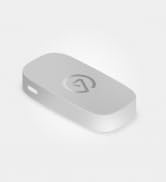
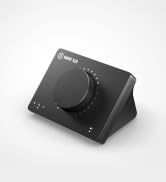
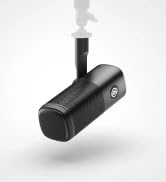
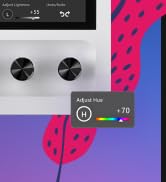
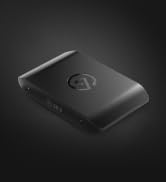
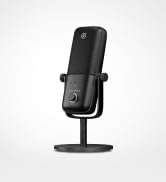
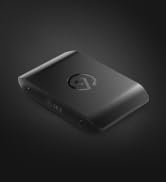
The Elgato Wave XLR is a premium audio interface designed for professional streamers, podcasters, and content creators. Featuring a studio-grade 75 dB ultra-low-noise preamp, seamless XLR to USB-C connectivity, and 48V phantom power, it ensures crystal-clear sound capture. Integrated with the Wave Link app for advanced digital mixing and equipped with Clipguard technology to prevent distortion, this compact and stylish device transforms your microphone setup into a powerhouse of pristine audio quality.







| ASIN | B09738CKKX |
| Audio Input | XLR |
| Best Sellers Rank | 13,106 in Musical Instruments & DJ ( See Top 100 in Musical Instruments & DJ ) 36 in Live Mixers |
| Brand Name | Elgato |
| Compatible Devices | Personal Computer |
| Connectivity Technology | USB |
| Customer Reviews | 4.5 4.5 out of 5 stars (2,508) |
| Frequency Response | 20 KHz |
| Included Components | Elgato Wave XLR |
| Item Dimensions D x W x H | 8.8D x 11.8W x 8.4H centimetres |
| Item Type Name | Corsair Elgato Wave XLR Microphone Interface |
| Item Weight | 300 Grams |
| Manufacturer | Corsair |
| Maximum Sample Rate | 96 KHz |
| Number of Channels | 1 |
| Operating System | Mac |
| Product Warranty | 2 year manufacturer. |
| Supported Software | Wave Link |
| UPC | 840006642886 |
| Unit Count | 1.0 count |
A**N
Perfect upgrade for the streaming setup
Got this after deciding I wanted to upgrade to an XLR microphone for the streaming setup, and I made the right choice. I wanted something simple, but still high quality like other Elgato products I have used. It is simple, looks very good, and it has given me no issues thus far with audio, sound, or anything like that. Plus, the dial is super fun to use and feels great.
J**H
Works as expected. Very useful
Easy to use, I almost deafened my friend because I accidentally put the mic volume on max. It is good for lowering your headphone volume and mic volume. Works as well as I expected
L**L
Simple controls and great quality
So far I've had great results from this thing. It has a nice small footprint and is the same size as the Stream Deck Mk2 if you have one of those, making it fit perfectly if you have other Elgato products. The headphone output of up to 250 Ohms is perfect as well, as I use Sennheiser HD58X headphones and these provide enough power for my to not need a seperate amp/dac. The software is where this shines, as it provides amazing control and great functionality that works well with the product.
E**D
Really useful, but not perfect
My main use case for this mixer is to split audio channels in Windows, so I can have system sounds divided into more than one channel. For example: game sound on 1 channel and chat sound on another. I'm not a streamer, but I record gameplay videos that are much easier to edit if I'm able to independently change the volume of the game and voice chat in post. This device allows you to have multiple channels within Windows via their software, which is great. These are recognised by recording programs like OBS too, so it works how you'd imagine: you can add each respective channel as an audio source, just making sure they're recorded to individual tracks. I'd personally much prefer it if this multiple channel system wasn't totally based on the software, because I have had it randomly stop working mid session and ruin my capture. My previous method of making system sounds divide into more than one channel was hardware based, via a mixer that had both USB and optical ports - each of these providing an individual channel in Windows. This never failed because it was literally the cables and device that gave me the 2 channels, and not software that can crash or have driver issues. Overall, the Elgato is probably better than my previous hardware solution, because you can have more than 2 channels for your system sound and it also takes an XLR input - so currently this mixer replaces two things in my setup which is a bonus. Aside from some random issues like I described with the software, the main thing about this mixer that bothers me is the 3.5 output. It's totally adequate if you're using desktop speakers and not doing anything serious in regards to audio production - but when used with earbuds or headphones the noise flaw is very noticeable. A constant hiss that doesn't go away when you turn down the volume. That bugs me to no end, but I put up with it because of how useful I find the other main features. I think with some updates to the software to make it more reliable, and perhaps a change to the output situation this would be a device every content creator needs. Right now, I'm constantly wondering if the software is working properly and while it usually does, it only takes one ruined recording for it to constantly be on your mind. As for the hiss, it doesn't impact recordings because it's the output, so I suppose you have to live with that until they do a mark 2.
H**.
Good minimal option
I livestream as a hobby. I prefer to have less equipment for a more minimal setup. A good alternative to a GoXLR mini which is what I had before. The mute button on the back is really simple, and the Wave software is very smart.
R**T
Ok
Ok
D**5
Great product excellent customer service
I bought this but couldn't get it working. The email based customer service provided was superb, and had me up and running in very acceptable time.
A**B
This device saved my streaming life!!
The wave xlr is what i wanted for streaming. XLR for my mic and easy to use software is what sold it for me. I have multiple of channels and can change it with no hassle. I only the device for mic input so I can not comment on the headphone input. Mic is controlled with the dial which is smooth but no click or sound que for when its at its max or min. I still love this product.
O**G
I love having an interface for my sounds, it is great to have more control over the sound of my streams. BUT, the software is complicated and not very clearly written and provided. The online ‘manuals’ are made for ppl who know what this device. After using it for 2 weeks I am enjoying the device.
A**A
This review is for all future buyers of the Elgato Wave XLR Interface. I know that when you look at the seller rating, it feels terrible, and trust me, I was also afraid when I first saw it. In fact, I accidentally checked it after placing the order. When I received the product, I was quite worried, but after unboxing, everything was perfect. The product was genuine, and everything was in great condition.
S**N
I got this more for the software than the actual interface; it's pretty good. Don't just get it because it's Elgato.
C**C
I don’t usually take the time to write long reviews, but this purchase honestly surprised me in a good way. I went into it with fairly normal expectations and figured it would be “good enough,” but it turned out to be one of those items where you immediately think, “Why didn’t I buy this sooner?” From the moment I opened the box, the quality stood out. Nothing felt cheap or thrown together. The materials actually feel durable — the kind of durability that makes you think it’ll hold up for a long time instead of being something you replace every year. The instructions were clear, and the setup was way easier than I expected. Even the packaging was done well, which I always appreciate because it shows they pay attention to the small details. I’ve been using it for several days now, and it performs exactly the way you want a product to perform: consistently. No weird quirks, no having to “figure it out,” and no disappointment after the first use. It does what it’s supposed to do, and it does it well. One thing I really like is how the design balances simplicity with functionality. You don’t need to be an expert to get the most out of it. If you’re on the fence like I was, I’d say go for it. I’ve bought plenty of things online that look great in the photos but feel mediocre in person. This wasn’t one of them. It actually exceeded my expectations, which doesn’t happen often. I feel like I got more than my money’s worth, and that’s probably the best compliment I can give any product. Highly recommended.
C**C
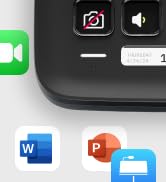
This is the ideal XLR interface for getting microphone audio on a PC for streaming, podcasting, voice overs, or just discord/skype/teams. Works great with an ElectroVoice RE20 even without a cloudlifter. Also works well with the AT2035 with phantom power. The most noteworthy features that set it apart from other audio interfaces are the Wave Link app and the capacitive mute button on top. Wave Link is incredibly useful for mixes, and close integrations with stream deck mean controlling it can be simple too. Adding VSTs directly to the audio to do compression, EQ, de-essing, and notably noise suppression is much simpler than with other apps like Voicemeeter, and having the effects apply to the output directly instead of through OBS let's apps like discord hear the same audio. The inbuilt Noise Suppression plugin is surprisingly good, while I would not recommend using it if avoidable as it does definitely affect audio quality, it works well to make noisy backgrounds (such as with an air conditioner or fan on) bearable for people on the receiving end of voip calls. I've tried a number of other audio interfaces like the Scarlett 2i2, Komplete Audio 2, and Line 6 UX2, and the WaveXLR is simply the best for a desktop mic. The others have its roots in recording instruments in addition to vocals and it shows. Out of those 3 the only one that comes close is the classic Line 6 UX2 which had a great selection of preamps and effects that were built in to the Pod Farm app, but the WaveXLR definitely has a cleaner interface and more features. Capacitive mute is a simple feature but is very convenient once you use it. It avoids having the loud 'pop' that using the phantom power switch as your mute button leads to, and is both quieter and easier to press than a virtual button. While it does not have the same mixing capabilities out of the box as the GoXLR (which I do not recommend as TC helicon has basically stopped software support for it), nor does it have the number of inputs that more instrument-minded interfaces have, the Wave XLR is designed simply to have one mic hooked up to it with a bunch of features available for that mic, and it does its job very well.
TrustPilot
2 个月前
1 个月前