We remain fully operational. Our teams are working around the clock to ensure your deliveries continue safely.

下载应用程序





Buy anything from 5,000+ international stores. One checkout price. No surprise fees. Join 2M+ shoppers on Desertcart.
Desertcart purchases this item on your behalf and handles shipping, customs, and support to Macau.
🔥 Monitor in Style!
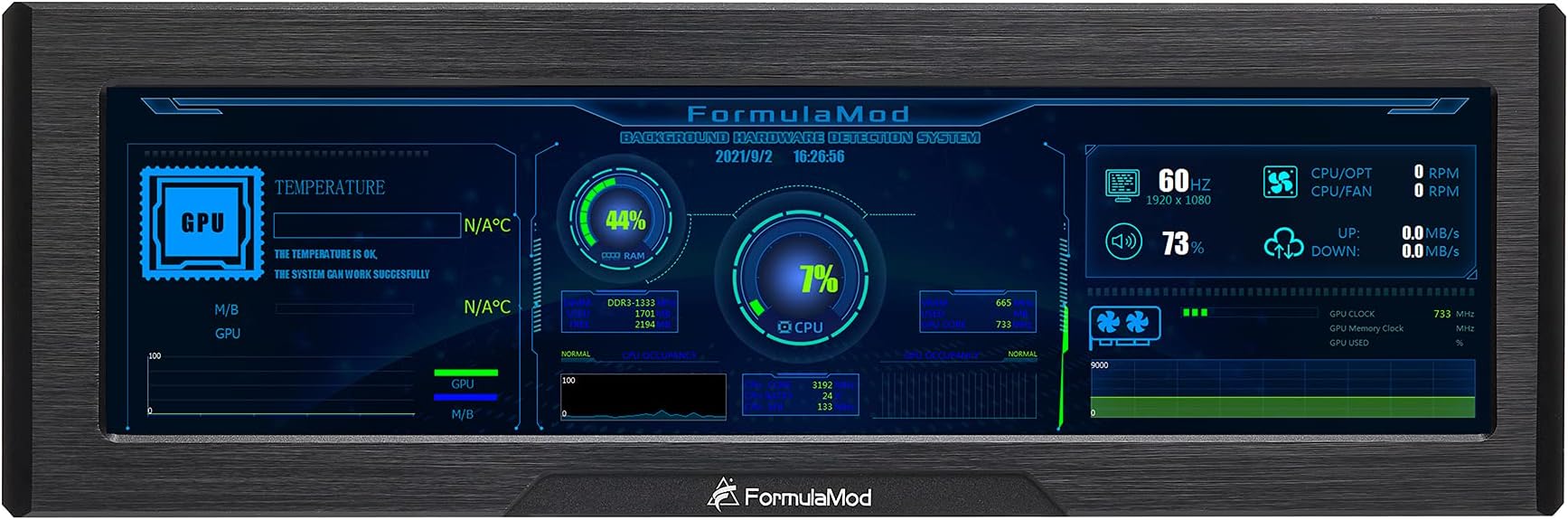
The FormulaMod 8.8 Inch CPU Hardware Temperature Monitor is a high-resolution external display designed for PC enthusiasts. With a stunning 1920x480 resolution and IPS full viewing angle, it provides real-time monitoring of your hardware's performance. The package includes essential accessories for easy setup, making it a perfect addition to any modern PC case.


| ASIN | B09G33Y8CM |
| Aspect Ratio | 16:9 |
| Box Contents | Screw Pack,HDMI video cable,USB power cable,5V adapter cable,Manual controller for 5V A-RGB lighting |
| Brand Name | Formulamod |
| Colour | Black |
| Compatible Devices | Desktop, Laptop |
| Contrast Ratio | 800:1 |
| Customer Reviews | 4.0 4.0 out of 5 stars (67) |
| Display Technology | LCD |
| Display Type | LCD |
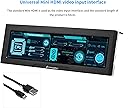
| Hardware Connectivity | HDMI, USB |
| Has Color Screen | Yes |
| Image Brightness | m2 |
| Item Dimensions D x W x H | 1.7D x 24.8W x 8.1H centimetres |
| Manufacturer | Formulamod |
| Maximum Display Resolution | 1920 x 480 Pixels |
| Model Name | Fm-XSQ |
| Model Number | Fm-XSQ |
| Mounting Type | Panel Mount |
| Native Resolution | 1920 x 480 |
| Network Connectivity Technology | USB |
| Product Features | Temperature Monitoring, ARGB Lighting Manual Control |
| Refresh Rate | 60.0 |
| Resolution | HD |
| Screen Finish Type | Glossy |
| Screen Size | 8.8 Inches |
| Shape | Rectangular |
| Specific Uses For Product | Gaming |
| Total HDMI Port | 1 |
| Total USB Ports | 1 |
| Total Video Out Ports | 1 |
| Viewing Angle | 170 Degrees |
| Voltage | 5 Volts |
C**T
Been over a year and has served me well. Great display quality. Works excellent for my sensorpanel. Holds up pretty well to a bit of water to. Had my loop spring a leak and it got on the display a bit. Cleaned it up with isopropyl alcohol and put it back into operation in just a few hours. Id buy again if I ever need one for another rig. Only partial image available in my Pic. But again excellent quality
J**E
I have been using this display in a variety of conditions over the past 2 months - it has performed quite well, even holding up to quite a bit of on & off road use while mounted in a vehicle for a number of mobile computing purposes. So far, in my opinion it has provided excellent value - a big step up from open frame / kit displays of this size & cut/bar aspect ratio, but without hitting a premium price point. Initially, the display's brightness was simply too much to preserve any night vision whatsoever when the display was being used in a dark room (or on a dark road - one of the review photos shows it in use mapping ADS-B flight telemetry data while mounted on a vehicle dashboard in the dark) After an inquiry about this, FormulaMod was quick to instruct me on how to remove the rear plate - there is a white button which will cycle through multiple brightness levels hidden under there! This button is not mentioned elsewhere in any of the other provided documentation at the time of writing, and the unit ships at maximum brightness. The last used brightness setting is preserved even when power is completely removed, which made this undocumented functionality even more useful for my purposes. There is no OSD functionality that I am aware of, and aside from the RGB enclosure lighting it's not exactly a feature-rich multimedia powerhouse or anything - it doesn't purport to be, and for my applications the lack of such typical useless "feature creep" leads to an overall simplicity which has been another unexpected benefit. There are cable routing channels cut out on the rear of the housing to allow for a side-exit installation. If you want your cables to come straight out the back, note that both the mini HDMI and micro USB connectors have the angled shorter side towards the inside; if you are looking for 90º adapters for either of these connectors, they should curve "up" away from that edge. In reading other threads, comments & reviews, it sounds like this is likely a clone of another very similar display. I *don't* have personal experience with "the original," but FormulaMod support really went above & beyond to stand behind this product, which is more than enough for me. First, this was by making sure I was describing the LCD backlight vs. the RGB enclosure lighting - then, once they fully understood my concerns about the brightness, quickly getting back to me & providing detailed instructions with photos to ensure that I understood how to confidently make the most of my purchase. I buy a lot of good stuff on Amazon, but don't write a ton of reviews... Rarely do I have an opportunity for such a great interaction with a vendor on Amazon with a product that meets my needs so well, though... This felt so exceptional that I was inspired to share my own experience regarding both the manufacturer/vendor FormulaMod & their 8.8" LCD itself.
A**I
Easy to install and it does its job. At first, I had no picture even if the display was recognized by Windows. After some inspection, I figured that the USB cable wasn't fully connected. As for the brightness, someone here mentioned about a secret menu, but you can simply go on Nvidia Control Panel settings (from the Desktop), go to Adjust Desktop Color Settings, select this monitor, and lowered the Brightness and Gamma from there. Done! No need to uninstall the whole monitor.
A**O
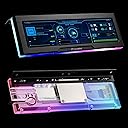
The screen has decent resolution and display SDR only. Can be used as a separate monitor: however, why would you? The back is clear acrylic and has a heavy aluminum anodized bezel in the front. There are cable channels that are short from the right side for some cable management. Depending on placement and case you may be able to hide the cables. I purchased it to use Aida64 with some custom templates and add a little more flair to my PC case. The item arrived yesterday and was delivered quickly by Amazon. I installed the screen so it would be visible through the side panel glass of the case. I should have powered it up prior to install. Upon powering the screen I noticed the LED surround only illuminated a portion of the backplate. I watched the FormulaMod video several more times and they do show it only illuminated by one light. Its a little deceiving as the placement is on a double image when they show it. I didnt want to screen with only 25% illuminated. I saw other images in reviews that the case back was illuminated all the way around. I wasnt sure if I had a bad light or if it was functioning as it should. Instead of sending it back to Amazon for a replacement and this potentially being "how it was" I opted to add a 12V RGB strip behind it so the top would at least illuminate all the way across. Yours may or may not so be prepared. I also read several threads about the software and viruses so I wouldnt download their templates just in case. They are on a google drive with a 108mb file which cant be scanned only downloaded. Go to aida64 share your panel forums or build your own which is what I am doing. Other than that the screen appears to function as advertised. I have only had it for 1 day so I will update review if needed based on longer ownership. Excuse the noise in the video as there are other house fans running thats not my PC.
B**S
Screen died after 2 weeks of use
TrustPilot
2 周前
1 周前