Buy anything from 5,000+ international stores. One checkout price. No surprise fees. Join 2M+ shoppers on Desertcart.
Desertcart purchases this item on your behalf and handles shipping, customs, and support to Macau.
๐ธ Capture the Moment, Print the Memory!
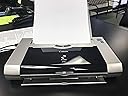
The Canon PIXMA iP90 is a compact inkjet photo printer designed for on-the-go professionals. With a high resolution of 4800 x 1200, it delivers stunning photo prints on glossy paper. Weighing just 4 pounds, it features Bluetooth connectivity and app control for seamless operation. Enjoy fast printing speeds of 16 ppm for black and white and 7.2 ppm for color, along with automatic duplexing for efficient printing.
| ASIN | B0002OG6L6 |
| Additional Printer Functions | Print Only |
| B&W Pages per Minute | 16 ppm |
| Best Sellers Rank | #975,231 in Office Products ( See Top 100 in Office Products ) #434 in Ink Tank Printers |
| Brand | Canon |
| Built-In Media | Printer |
| Color | black |
| Color Depth | 24 bpp |
| Color Pages per Minute | 7.2 ppm |
| Compatible Devices | Printer |
| Connectivity Technology | Bluetooth |
| Control Method | App |
| Controller Type | iOS |
| Customer Reviews | 3.3 out of 5 stars 170 Reviews |
| Dual-sided printing | No |
| Duplex | Automatic |
| Global Trade Identification Number | 00013803039276 |
| Hardware Interface | USB |
| Ink Color | Multiple |
| Item Weight | 4 Pounds |
| Manufacturer | Canon |
| Maximum Copies Per Run | 1 |
| Maximum Copy Resolution Black and White | 4800 |
| Maximum Copy Resolution Color | 4800 x 1200 dpi |
| Maximum Copy Speed Black and White | 16 ppm |
| Maximum Media Size | 4x6 inches |
| Maximum Print Resolution Black and White | 4800 |
| Maximum Sheet Capacity | 9 |
| Maximum print Resolution Color | 4800 x 1200 dpi |
| Model Name | IP90 |
| Model Number | 9466A001 |
| Model Series | PIXMA |
| Number of Trays | 1 |
| Other Special Features of the Product | magnetic_proof |
| Output sheet capacity | 9 |
| Paper Size | 8.5 inches |
| Print media | Glossy photo paper |
| Printer Connectivity Type | Bluetooth |
| Printer Output Type | Color |
| Printer Type | Inkjet |
| Printing Technology | Inkjet |
| Processor Count | 1 |
| Resolution | 4800 x 1200 |
| Scanner Type | Photo |
| Series Number | 94 |
| Special Feature | magnetic_proof |
| Specific Uses For Product | Home, home office |
| UPC | 013803039276 |
| Unit Count | 1.0 Count |
P**L
Excellent travel printer
I have wanted a small, lightweight travel printer for some time and after reading a number of reviews and researching a number of options I decided to buy the Canon PIXMAiP90 Photo Inkjet Printer. I travel weekly and often need the use of a printer and so the purchase of the Canon seemed timely and has proven to be a wonderful printer. I admit I also purchased the Bluetooth option and the extended batter as well so the total cost of this bundle was right around 400.00. This is a bit pricy but after using the printer dozens of times I have no regrets for purchasing the printer or the wireless and extended battery options. The printer is easy to use, quiet and prints both color and b&w documents quickly and with very very good quality. I printed an 8x11" photo on old color paper from a small image and got very impressive results. B&W documents are crisp and of an excellent quality. What else do you want from a printer. Easy, quiet, quick and sharp quality prints! The bluetooth and extended battery options are by no means necessary but I have bluetooth and love that I don't have to carry a bunch of cables and battery charger every time I travel. The extended battery lasts a long long time. I wish I could say exactly how many hours but I have printed at least 300 pages and never had to recharge, even when the printer was not in use for more than a week. I carry my laptop and printer in a laptop backpack and even with magazines, ipods, files and the other stuff we carry around the printer feel lightweight and doesn't add a trmendous extra weight to the pack. Cartridge use seems adequate and I have yet to replace a cartridge. Installation of them is easy as is the installation of the software. I give this printer a 5 star because if has exceeded my expectations of a small, lightweight travel printer, that I also use at home. I would dfeinitely purchase this printer again.
V**N
Works great, until it dies early!
Worked great for about a month - now the cyan print head has died. Ive run the cleaning commands, replaced ink tanks, even tried manually inspecting and cleaning the head itself as a last resort - no good, Cyan is completely dead. I hope it at least lasts as a B&W printer. Funny, the number of 5-star reviews for this product (one of the reasons I bought it!) when I see every single recent review is a 1-star horror story now. Makes me wonder how many of those 5-star reviews were early fakes by Canon reps when the product was first released. Buy something else - and not from Canon, companies need to suffer for their mistakes if we expect them to ever start caring.
R**K
I Like it
Image is sharp and color is good. I like this model because in addition to 4x6 photos, I can print 8x11 documents. The printer fits in my laptop bag and goes with me whenever I travel. It's only been a couple of weeks, but so far so good. I give the PIXMA iP90 an excellent review.
I**K
Many pros and cons to this printer see below! Tech support is horrible
Ok where do I begin with this one... Cons... Price - Very expensive if you want to be mobile with it. Printer ($250 plus shipping) along with the optional bluetooth adapter (an additional $80 or so plus shipping), and also the optional battery pack kit (an additional $140 plus shipping). I paid a total of over $500 plus shipping costs for this printer and the accessories to be able to use it wireless. Included Software - Didnt auto install and doesnt always work I had to call tech support to find out if the disk was bad or what and we ended up going into the disk and manually installing each program which ended up not installing the icons or other little special things. Printer/Bluetooth Installation/Setup - If you are using a usb connection then you are ok but be warned of the "work arounds" needed and other problems when using the printer strictly with the bluetooth adapter. The printer would not install via the bluetooth connection right out of the box. There is no documentation with the printer or bluetooth manual as to where the adapter should be installed either. I had to call tech support to find out where to install the adapter. I had to call twice to tech support in order for someone who would actually take the time out to help with the situation. Cannon has a very weird way of a work around to get the bluetooth adapter to work with the printer and computer. First of all you have to figure out which way you want to connect the printer on your computer. Your computer's bluetooth hardware has to be configured to work with Microsofts drivers for the printer to work properly such as giving you ink status and other functions. You only have one way communication under Windows XP SP2 and that is to only print to the machine and nothing else. The other draw back to this configuration is that other devices such as my wireless headset wouldnt work anymore using the microsoft drivers. So, if I wanted both devices to work I had to use the device drivers that came with my computer's bluetooth adapter and I was back to square one with only one way communication to the printer but at least all other wireless devices would work again. When I called tech support about this problem they tried to help but didnt know about any such problems even though its all over the internet about people having problems getting the bluetooth to work properly or even at all with their bluetooth adapters that are installed in their pc. One tech even had me uninstall the printers software and upon reboot the computer would not boot up at all. I spent a month trying to reinstall everything back into the pc. Setup also requires you to install the printer using a usb connection first and then installing the printer again but with the bluetooth connection therefore installing two different printers. Anytime you need to do something to this printer it has to be connected via usb to do any maintenance on it. This printer was a major pain to get up and running. Print speed/Quality - The printer takes a lot longer to print the same page of text compared to my lexmark x6170 all in one. Also, in between each page there is a default drying time which can be changed to go longer but not turned off completely. Pros... Mobility - No need for wires or power adapters Small - fits in a briefcase or laptop bag easily Print Quality - is better than most small compact printers Cartridges - are cheap but dont really last that long since they are so small Do I recommend the printer you ask...yes i recommend it if you are a mobile person and need to print things on the spot anytime anywhere and are willing to shell out over $500 to do so. Once you do get it up and running properly you will not be dissapointed with it.
J**D
Satisfied customer
I bought the ip90 to use while traveling, and I've been quite satisfied with the performance. So far I've only used it via IRDA and a USB connection -- I don't have the battery kit, car adapter, nor the Bluetooth adapter, so I can't comment on those. As to the printer itself: +++ Prints surprisingly fast; I was really stunned by how quickly it spits out pages. +++ Photos look quite good; also better than I expected. I tried out printing directly from a Windows Mobile phone (over IRDA) with one the 10 sheets of photo paper Canon includes with the printer; worked like a charm! +++ Great compact size with a reasonable weight... I found one of those "zipper three ring binders" -- where the actual binder rings were removable -- and it makes a great carrying case (since it includes folders for paper!), all for $9.99. +++ The printer driver natively supports (manual) duplexing, 2-up/4-up/etc. printing, and otherwise is quite full-featured (these days almost everything I print is 2-up/duplexed -- I just don't want the bulk of all that extra paper); not at all 'crippled' like, say, HP printer drivers are for their super-cheap, kinda-compact printers (e.g., the 35xx family). Granted, for the price you pay for the ip90, this should be the case. --- Text printouts aren't really as black as I'd like; closer to a dark gray. --- Lines are a little more 'jagged' that what most printers produce these days. --- True, the price is expensive, although if you think about it, it's still dirt cheap to what printers cost even just 5 years ago. The pricing of printers in general has become warped since then, with the marketing shifting to selling the mass-market printers for little more than cost and making all the profit on the ink... I suppose that Canon figures that with a portable printer like this, you probably won't really be doing THAT much printing, so they'd better get their profit up front? Overall, I'm quite satisfied. This is a solid product, and -- at least from what I've read in reviews -- seems noticeably better than HP's portable entries.
S**S
the little printer that can.. going strong from 2005 until now
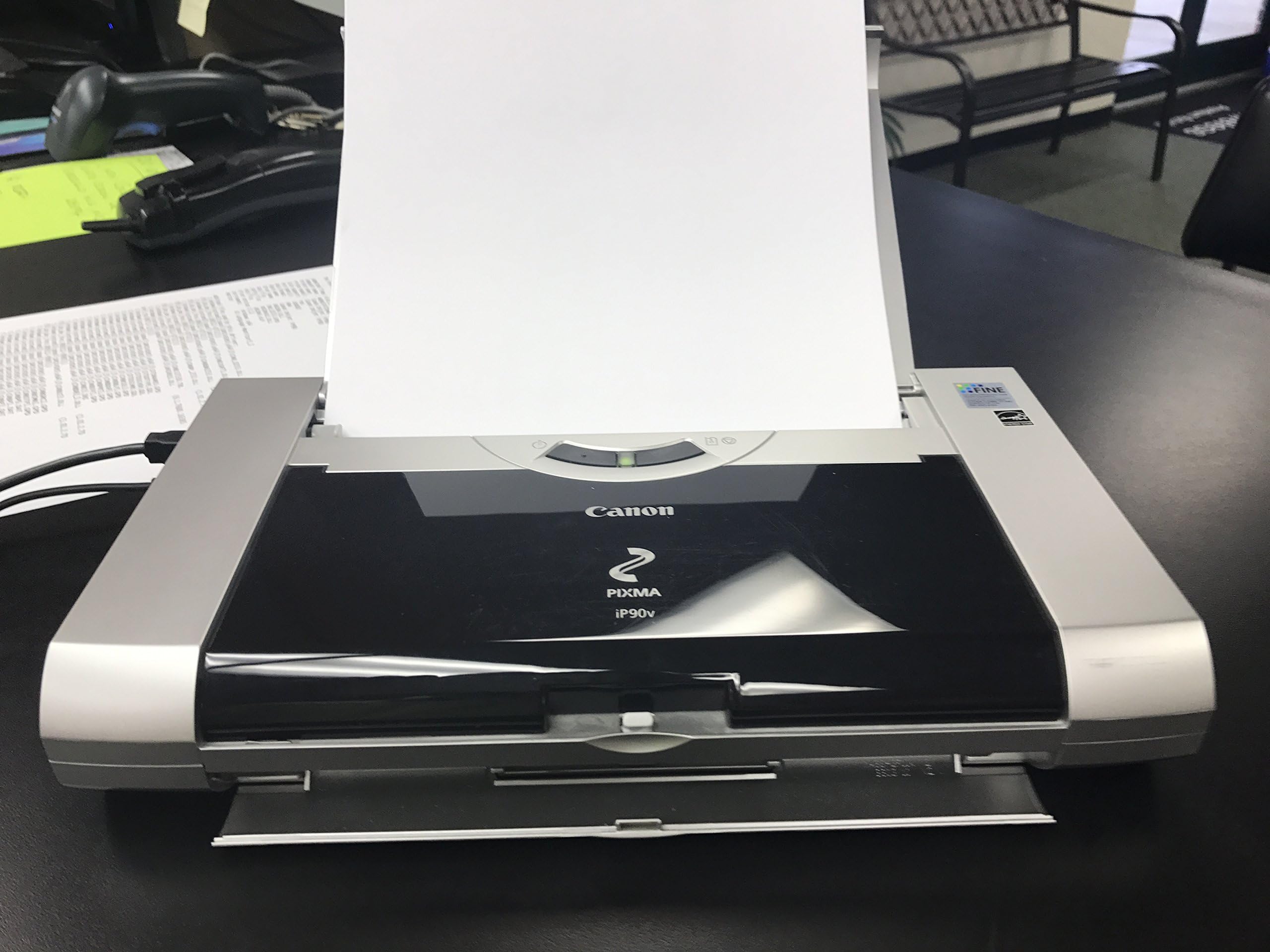
Have had this printer since 2005. It is still my "only" printer. Photos print well, text and "mixed" documents even better; No complaints on the quality - a very fine printer. However some notes to those considering it: 1) Use Canon ink - seriously. The printer lasts longer. I used "compatible" versions briefly (probably in 2006-2007) and the print quality declined SIGNIFICANTLY. My biggest complaint is the small size of the cartridges, they don't print a lot of pages. And if you print photos then you will run out even faster, maybe get 4-5 4x6 photos before the cartridge empties. Suggest getting the Twin Packs of the cartridges (BCI-15 & 16) and always keep a couple of extra ones handy. (they are not easy to find, amazon is your best & cheapest bet) 2) Ignore them when they tell you it won't work on Yosemite. (If you are on a Mac, supposedly Yosemite doesn't provide drivers or support this printer). To make it work, here is what you need to do: - Download the IP100 drivers from canon site and install on the Mac; - Add printer from System Preferences and pick the IP100 drivers you have just installed (it should show up in the list of "select software"); - Go print - the printer will now print just fine. Am not sure why no one mentions that the IP100 drivers work for this printer. But they do. Perfectly. It is still NOT a wireless printer though, you need a USB connection to the MAC for it to print. Hope this helps everyone considering this little workhorse - mine has survived 3 cross country moves and printing "on-location" in a variety of circumstances and is still going strong on its 10th birthday.
K**S
Road Warrior's Opinion
I travel 40 to 45 weeks a year and of the six portable printers that I have carried with me over the past 20+ years, this is my favorite. It is the fastest and has the sharpest print. The drivers loaded effortlessly. I have the bluetooth adapter and the battery pack. I use this printer with a Toshiba Satelite laptop and everything worked perfectly from the start. Unlike numerous comments that I have read, I am quite pleased with the amount of printing that can get from the small ink cartridtes. I refill my own printer cartridges, which makes my cost about $.50 per black cartridge reill. I have only refilled my color cartridge once and estimate the cost to refill it at about $1.00. It only takes about a five minutes to have the cartridge refilled and back in the printer and have my ink back in my audit bag. I do not print photos but the color on my reports and schedules is very sharp and crisp and adds significantly to their impact. I highly recommend this printer for anyone who wants to carry a printer when they travel.
K**Y
Non-working printer?
I received it one day before my trip (driving) from arizona to washington D.C. It was two and a half weeks before i was able to set it up and use it. It did not work. i have the iP90 software loaded but the indication was that it was not connected. i even changed out the print cable in case one was bad. now that i have returned from my 5515 mile road trip i will have to take it somewhere to see if the problem is at my end or in the printer. Why does amazon not have a rating for something that doesn't work...If it works i may love it...i don't know for sure what the problem is...
Trustpilot
2 days ago
1 month ago