🎮 Capture Every Victory, Stream Like a Pro!
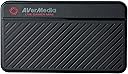
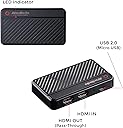
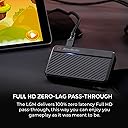
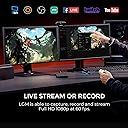
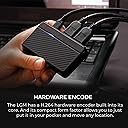
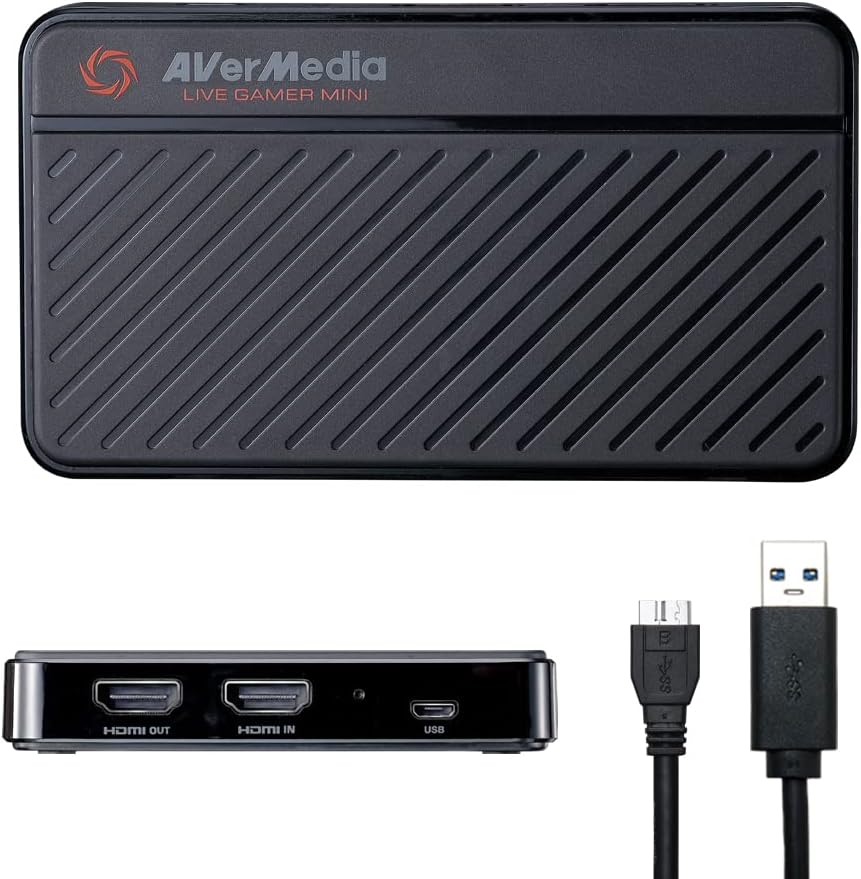
The AVerMedia Live Gamer Mini GC311 is a compact, high-performance capture card delivering crisp 1080p60 gameplay recording with zero-latency HDMI pass-through. Featuring plug-and-play USB connectivity and a built-in H.264 hardware encoder, it ensures smooth streaming without taxing your CPU. Compatible with major consoles and streaming software, it’s the perfect tool for gamers and content creators aiming to elevate their live broadcasts and recordings.


| Antenna Location | Video Recording |
| Asin | B07R6P2JJR |
| Av Output | HDMI |
| Best Sellers Rank | #64 in External TV Tuners |
| Brand | AVerMedia |
| Built In Media | AVerMedia Live Gamer Mini, Quick Guide, USB Micro to Type-A Cable |
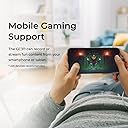
| Compatible Devices | Nintendo Switch |
| Customer Reviews | 4.3 4.3 out of 5 stars (1,453) 4.3 out of 5 stars |
| Global Trade Identification Number | 00795522966018 |
| Hardware Interface | USB 2.0 |
| Item Dimensions | 3.93 x 2.24 x 0.74 inches |
| Item Type Name | Game Video Capture card |
| Item Weight | 2.63 ounces |
| Manufacturer | AVerMedia Technologies Inc |
| Mfr Part Number | GC311 |
| Minimum System Requirements | Operating System: Windows 10 (64-bit), Windows 11, macOS 12; USB 2.0 port |
| Model Name | GC311 |
| Model Number | GC311 |
| Number Of Items | 1 |
| Operating System | Windows 10, Windows 11, macOS 12 |
| Other Special Features Of The Product | Compact |
| Platform | Nintendo Switch |
| Upc | 795522966018 |
| Video Capture Resolution | 1080p |
| Warranty Description | 3 year manufacturer |
User
It just works
It works perfectly. The signal is good.I use it to capture video and take screenshots from my PS5/Switch, and then project to my computer monitor.The only downside is due to it is in 1080p capture. The image quality is not very good. But it’s still serve its purpose.No noticable latency, barely none. Need avercentral application to use
User
Great, easy to use tool to get you started in live streaming!
As the go-to IT person in my Church congregation, I was asked to set up a live stream during the 2020 pandemic shutdown. I purchased a Canon Vixia HF R800 video camera and hoped to pair it with an Elgato Camlink. However, the Camlink was impossible to find anywhere, so I settled for Live Gamer Mini. In conducting my research prior to purchase, the reviews I read on the device varied. However, my experience with this device was great. To get my stream onto the internet, I am using a Windows 10 laptop running OBS. I connected my camera to the Live Gamer Mini and the Mini to my computer. It worked flawlessly the first time. Windows recognized the device. It was not necessary to download and install any drivers. While I do not know how this device compares to others, it works great for our intended purposes. I would highly recommend this to someone who is getting started in live streaming and is looking to save some money over similar Elgato devices.
User
Worked well for a year
The Avermedia Gamer Mini is a great capture card for someone like me who just wants to screen-share with a Nintendo Switch. I wanted to stream to let my long-distance friend watch via Discord screen share. Works GREAT for that with OBS Studio.The good: Not much lag - a fraction of a second at most. The picture quality is fantastic. I actually noticed the colors and frame rate were better even on my TV when it was connected to the capture card. I was in love with it. It didn't interrupt game play at all, motion was smooth, everything was going well.UNTIL...The bad:It got unplugged by accident and everything went downhill. The MicroUSB cord from the capture card to the computer came loose, which didn't SEEM like it should've been a big deal. But it turned off the capture card mid-gameplay and apparently that was a huge issue. After that, my computer wouldn't recognize the device at all. After HOURS of researching, troubleshooting, and downloading Avermedia's management software (which wouldn't recognize the device either), it RANDOMLY started working again. But then it started only working for an hour or so before cutting out and stopping my stream. And now it won't work at all. It just gives me a blue flashing light (which is supposed to mean it's downloadibg firmware or something, but I get no notification on my computer and it never finishes the process, apparently) and no preview on OBS Studio. So, it's no longer functional. Which coincidentally happened one month after the 12-month warranty expired.My friend has one who hasn't had any of these issues. So apparently they're hit or miss.Bottom line: If you need it for basic functions, it's great. It's not the most advanced thing on the market, but it works. For about the length of the warranty.
User
Works great!
Works great! I've used it to stream my Switch to my computer. I haven't noticed any issues with lag or audio quality. The video capture works perfectly. Just plug and play.
User
Very good capturer for the price
For the price, it's a good capture card. I don't know if it's because of my OBS settings (I don't think so, because I set it to a very high bitrate). In certain content, especially in games with constant, rapid camera movement, the bitrate drops and it's noticeable. Otherwise, it's a very good capture card.
User
3 months.. then it broke. why do i bother.
the soul reason i purchased this was because my new computer i had built runs windows 11, and my elgato capture card i was using for the longest time isn't compatible with windows 11. what i loved about this new card is the set up was very easy. it went butter smooth, and I'd say is very new user friendly. that said however i believe with it being a older card every single time i opened the program to record or stream i had to constantly update the software. well here we are not even 3 months later, and i had a bunch of videos recorded only to find out they never actually recorded despite it being done. i tried streaming, and BOOM! it did just fine. i tried uninstalling and reinstalling.. nothing worked. i shut my computer down, restarted it, and BOOM! it actually recorded a small video... then i switched to another system, and BOOM!!! it refused to record. i may have paid for insurance on this waste of money, but honestly I'd rather just eat my loss, and never purchase another aver media product again.
User
Works as advertized!
It does exactly what it says it does. No lag! I bought this as an upgrade to my previous "pass through" capture card. It is definitely possible to use with OBS, but you're going to want to download the avermedia "streaming center" app.
User
Excelente
Excelente
User
Buena y Facil de usar
Después de mas de 8 meses de uso, nunca me ha fallado, incluso cuando la conecto a computadoras sin los requisitos mínimos para usarla, es portátil y de fácil uso, además de que tiene una estética adecuada y fácil de identificar
User
working well for me
The negative reviews made me think long and hard whether to go for Avermedia live gamer mini or stick to the mainstream Elgato HD60s. But my budget suits Avermedia better so I went for it anyway and is pleasantly surprised that it is working well unlike what the negative reviews were saying. My stream is smooth and quality is good. No lag and im streaming on a laptop! The shipment from US was fast too! Took about 4-5 working days.
User
AVermedia
Very easy to set up, comes with an Hdmi but be sure to have another for the monitor you plug into. Still using it now and it works fine. The quality is what it specifies.
User
Works great for PS5!
Opened the box and just plugged in my PS5 to Avermedia, and then into my TV and my ASUS TUF gaming computer. No programs to download. Very simple and straightforward. I use OBS and after figuring out how to use OBS, it was fast and easy. No noticeable lag. Had to figure out how to get PS5 to work with the capture card and OBS with a google search, which didn’t take too much time. There is a HDMI setting on PS5 that must be turned off before Avermedia can pick up the signal. (You won’t be able to watch Netflix etc. when you turn off this setting, which isn’t a problem, cause you just turn the setting back on when you’re done streaming.) This is all easier than it sounds, there are a lot of helpful articles and youtube videos out there. Personally thankful this was so easy and straightforward to use, as someone who is new to streaming, twitch, obs, etc.
User
ممتاز
بستخدمها من سنة وللامانة ممتازة واقتصادية
Trustpilot
2 weeks ago
5 days ago