๐จ Elevate your rigโs airflow game โ donโt let heat hold you back!
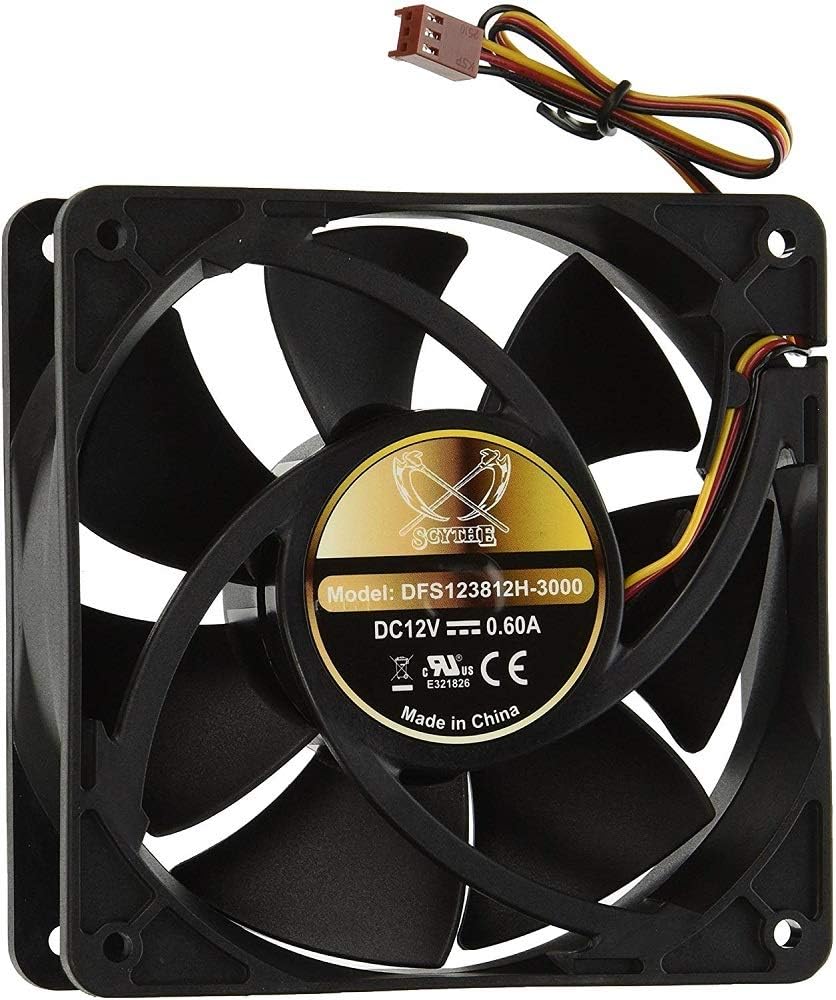
The Scythe Ultra Kaze 120mm case fan delivers a powerful 133.6 CFM airflow at a blazing 3000 RPM, optimized for high static pressure environments like narrow fin coolers. Its 38mm thickness and included 3-pin to 4-pin adapter ensure versatile compatibility and superior cooling performance, backed by a durable 30,000-hour MTBF for reliable, long-lasting operation.
| ASIN | B001JKNMBE |
| Air Flow Capacity | 133.6 Cubic Feet Per Minute |
| Best Sellers Rank | #11,946 in Computer Case Fans |
| Brand | SCYTHE |
| Brand Name | SCYTHE |
| Compatible Devices | Desktop, Graphic Cards |
| Cooling Method | Fan |
| Customer Reviews | 4.1 out of 5 stars 154 Reviews |
| Global Trade Identification Number | 00812623020491 |
| Item Dimensions L x W x H | 4.72"L x 1.5"W x 4.72"H |
| Item Weight | 8 ounces |
| Manufacturer | Scythe |
| Material Type | Copper |
| Maximum Rotational Speed | 3000 RPM |
| Model | DFS123812H-3000 |
| Noise Level | 45.9 Decibels |
| Number of Items | 1 |
| Part Number | DFS123812H-3000 |
| Power Connector Type | 3-Pin |
| Product Dimensions | 4.72"L x 1.5"W x 4.72"H |
| UPC | 807320222422 863189992463 894092001225 846829720510 963723316820 812623020491 012304362630 803982988683 |
| Unit Count | 1 Count |
| Voltage | 12 Volts |
| Wattage | 3 watts |
C**Z
A hurricane in 120x38 mm form factor
This is a difficult item to review, but it performs wonderfully. It sucks hot air (with the assistance of two other Scythe fans) off of two overclocked QX9775's @ 3.8 Ghz on air and helps keep them below 140 degrees. *cough* Thermalright heatsinks *cough*. The pro's first; 1. This fan moves an incredible amount of air. 2. Because it is 38 mm deep, it allows greater static pressure, which will pull air into your case. 3. Scythe makes quality products and this is no exception. 4. The Ultra Kaze comes in several different models, with varying CFM and noise levels. The con's; 1. This fan is VERY loud, but you should know that from the description; this may not bother some people, but I have very sensitive hearing. 2. The fan works best as an exhaust fan. 3. This fan uses, as most other Scythe fans, a sleeve bearing, which isn't as durable as a double ball or HydroWave. Overall, this is a quality product, and the cons I've mentioned have been issues for me, or things I've noticed. As with all other Scythe products I've used, I have been very satisfied with the craftsmanship and engineering, just ensure that you are comfortable with 40+ Db.
P**E
The Most CFM for the least amount of noise
I was a little skeptical about 130 CFM and 3000 RPM from a 120mm fan. These fans are great. By far the quietest fans you can find that will deliver this kind of air flow. I have them hooked up to my fan controller, and are controllable at RPMS from 1200 - 3000. Anything lower than 1200 they just turn off. That could be a glitch with my fan controller though. My only worries are that being these are sleeve bearings, they won't last as long, but they are much quieter than 2 ball. Wish they were available in Hydrobearing. Before getting these I tried some fans that were rated for 4500 RPM, and found the problem with really high RPM fans is they are not controllable at lower speeds. Plus the noise was just too much. I like that with these I can max them out, and get the most cooling when my GPUs are mining, yet turn them down during the day when I need work.
M**E
Powerful fan but may get noiser over time in dusty environments.
It seems like I've ordered at least 10 of these things by now. They are great fans, they move a ton of air and aren't too loud considering their performance. They seem to last about a year or two before they start squeaking or grinding louder than usual. This slightly louder grinding/squeaking noise will continue for maybe another half a year until it will suddenly change to being an extremely loud grinding/squeaking noise (like 80+ dB loud) as debris finally get caught up in the main bearing. Its weird but it always seems to happen, it goes from perfect operation to slightly noisier to suddenly being a loud blaring siren, every single one I've had so far. Now we know to replace them when they start making the weird squeak or grinding noise, before they get to the annoyingly-loud stage. Its also possible to open these up and clean them out by removing the rubber gasket behind the sticker label. Then you have to remove another E-clip I believe before you can remove the fan blades+shaft from the fan housing itself. Then you can properly clean all the junk out and reuse the fan again. They seem to run a liquid lubricant which may be why it seems to attract dust so easily. I've only had to order new fans when a blade breaks so far since cleaning them out and re-lubing them is quite effective in keeping them running quiet. I'm not sure if I'm the only one with this specific loud noise issue or not. I have a ton of dust and pet hair in the room where most of these fans operate which contributes a lot to the aforementioned problems I'm sure. However It's still a fantastic fan, relatively easy to service, and has very high performance. I've got 4 of them on a 480GTX radiator and they keep it quite cool. The airflow is so high there isn't even a need to do both a push and pull config, so I just run them in push only.
T**6
Does exactly what you would expect
This fan moves an incredible amount of air. Fastest RPM and CFM rating for a case fan I have ever seen. I put this into a 8-bay storage tower with 6 hard drives after the stock fan for the tower failed and I realized that the original fan was too quiet for me to notice that it failed and I wasn't actively checking the hard drives temperatures because they were long term storage that was only occasionally accessed. Boy was I wrong. I could have cooked food on those hard drives they were overheating so bad even on idle. While I was fortunate not to have any fail on me, I bought this product so that I would 1) hear it so I could easily tell if it failed and 2) would never have to monitor temperature because it is the most powerful I have seen by far. And that is definitely true. I copied many TB of data between drives in the array and none of the drives have cracked 90 F, well below danger thresholds. They are at least 25 F, probably 30 F away from being in the danger zone. While I don't know what the temps were at while the stock fan was working, I highly doubt they were this low, especially under heavy use loading data between drives. It's crazy loud though, like can't-hear-myself-think loud at full speed. But I expected as much with the stated decibel rating on the product page. Just know what you are getting yourself into. I only turn on the array when I need it because unfortunately my tower only has a two pin connection (I used an adapter for this product) so there is no speed regulation. When it's on it sounds like a jet engine in my room and I fear my tower will try to take flight one day.
B**R
Pretty Loud but Keeps my Tower Nice and Cool!
I bought this fan because I needed a small fan with the power of a 200mm. My tower has a liquid cooled radiator that takes up some extra room and I could not fit a larger fan. The fan is extremely fast and my computer can be on for two hours and I literally feel cold air shooting out from the fan. Awesome. Unfortunately is is really loud. I suppose I could fix the noise a little bit if I adjusted the fan speed in my BIOS. If it was quiet it would be a 5 star. I am more concerned about the longevity of my system so I decided to leave it in. I play my music and media on another PC because this fan is just too loud.
T**N
Cold!
This is my 6th Scythe fan I have ordered, the reason? They...push...air... A common misconception with computer fans is that, high CFM means my case will run colder. Well, you would think that but actually, another interval plays a huge role in PC system cooling, static pressure. I've looked everywhere on the net for a English description that would detail the static pressure of this fan. I couldn't find one, it's all in Japanese. However, thinker fans usually have a high static pressure reading. With that said, onto the review. I ordered 4 Scythe Slip Streams 1900 RPM for side intake fans a long with a Ultra Kaze 2000 RPM a few years ago. However, I seemed to misplaced my Ultra Kaze so I ordered this one. As the first reviewer said that it makes a great exhaust fan, and it does! It's roughly an inch from my Cooler Master V8 and dropped my temp a few degrees. When I installed this, I thought it was going to remind me of the olden days of when I had all my Scythe fans running full blast and literally could not hear anything. But I was surprised, It is loud but not as loud as one may think. I also have a SilverStone FM123 and that's louder than this. I would normally have my case with the side facing out so I can see my LEDs and all my components, with the rear side of the case blowing to me. I had to quickly reposition it. I got way to cold. Along with rubber screws, this fan is ideal fan for exhaust. Even without a fan controller, it is nice!
N**R
then after a few minutes started to smell like burning "electrical" and plastic
I have two of these fans, I have had them installed for two years, and while they do move a lot of air, I just had one try to cook itself. I noticed my system got quieter all of the sudden (these are noisy at full blast), then after a few minutes started to smell like burning "electrical" and plastic, narrowed it down to my system them further narrowed it down to 1 of the 2 fans, its speed had dropped considerably and the smell was very strong coming from it, I unplugged it from the MoBo and you could fell the center of it was VERY hot, it haddn't melted plastic or discoloured yet but was still WAY to hot for a fan. Just a heads up.
A**R
Lots of air, less noise than you think
These fans are great. I purchased four of these. One for the exhaust in my fathers computer and three for mine. In my computer I am using one for intake, one on my cooler master hyper 212 evo, and one for the exhaust. All three running off of the motherboard headers. These use .62 amps once running and exceed that slightly on initial spin up. I contacted my motherboard manufacturer to verify the maximum current each header could support prior, due to the greater than normal current requirements. I control them with the software "speedfan". The cpu fan is the only one that runs all the time and is much quieter than the other reviews would make you think. These move so much air that there is hardly ever a need to run them at full speed. When you do need that extra bit of air, it is nice to have the ability to do it. At full speed, like everyone else says, these do make quite a bit of noise. They make less noise than my window unit air conditioner however and I have no problem sleeping in the same room as them running at full speed, even with all three.
J**T
Best airflow
Moves the most air of any fan i have seen. Recommend a fan controller to keep the noise down when the systen is cool.
Trustpilot
2 weeks ago
1 month ago