Desertcart purchases this item on your behalf and handles shipping, customs, and support to Macau.
🎧 Transform plush toys into personalized sound legends!
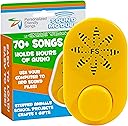
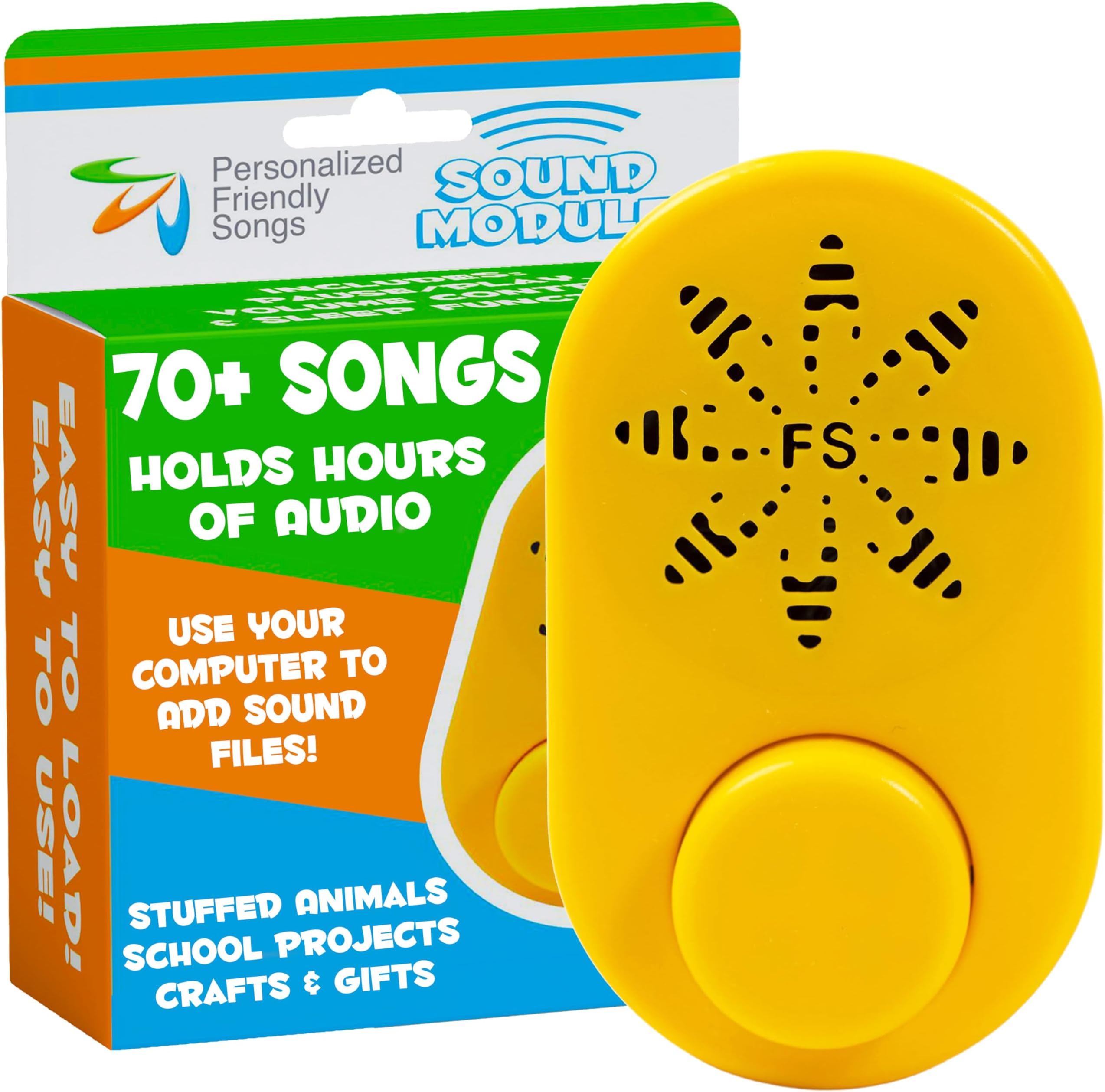
The Friendly Songs MP3 Sound Module is a compact, USB-C powered device designed to hold up to 2+ hours of MP3 audio, perfect for stuffed animals and plush toys. It supports four playback modes, offers easy drag-and-drop file uploads without software, and includes a $20 bonus of personalized children's music. Lightweight and safe for kids, it’s ideal for creating heartfelt keepsakes or interactive toys with rich, customizable sound.


| ASIN | B092WTSLKK |
| Battery Average Life | 2 months |
| Best Sellers Rank | #17,835 in Electronics ( See Top 100 in Electronics ) #82 in Digital Voice Recorders |
| Brand | Friendly Songs |
| Built-In Media | Free Birthday Song (Pre-Loaded - Can be removed), Free Gift of Personalized Music ($20 Value), Friendly Songs Stuffed Animal Recordable Voice Box, USB Data Cord, User Guide |
| Compatible Devices | Use with Computer via USB |
| Customer Reviews | 4.3 out of 5 stars 384 Reviews |
| Digital Recording Time | 120 minutes |
| Format | MP3 Audio |
| Global Trade Identification Number | 00864097000257 |
| Hardware Interface | USB 3.0 Type C |
| Headphones Jack | No headphones jack |
| Item Dimensions D x W x H | 1.8"D x 3"W x 1.1"H |
| Item Weight | 1.9 ounces |
| Manufacturer | Friendly Songs |
| Memory Storage Capacity | 120 MB |
| Mfr Part Number | FSSM |
| Microphone Form Factor | Mini |
| Microphone Operation Mode | No Microphone |
| Model Number | FSSM |
| Number of Batteries | 3 AAA batteries required. |
| Number of Items | 1 |
| Screen Size | 1.88 inches |
| UPC | 864097000257 |
| Unit Count | 1 Count |
C**I
This player is PURE GENIUS!
My mother-in-law (94) is in declining health in an extended care facility, unable to see, and with limited dexterity in her hands. A former musician, music is very important to her. We looked into several music players, and purchased one which was of good quality and functions, but there is no way to position it in her room where she could access it. Then we found this player and it's perfect! We're able to load it with about 25 - 30 pieces at a time; she can place it on her bed tray or hold it easily in her lap, and she is able to operate it to play (1 push), pause (1 push), and skip tracks (2 pushes). We've put a mixture of music and Biblical Psalms and passages on it, which she has found to be most comforting. The included manual was excellent -- very clear, and with sufficent technical guidance to get the user to have successful results, and Customer support has been awesome! They were able to answer any questions, and their response (email exchanges) was almost immediate and very clear. For the benefit of others, I'll share my experiences with using it in the event others may find it helpful. While the basic set-up and use are fairly straight-forward, it will be easier for someone who is somewhat familiar with a computer, mp3 files, and file copying via a USB cable. Those who are less familiar will have more of a challenge/learning curve, but depending on how it is going to be used, they may not need to become too technically involved. In any case, the Customer support is excellent, and less experienced users may find they get a free tutorial and enhance their technical skills and knowledge! In any case, it is NOT simply a voice/sound "recorder" as some have thought; it is more of a "player" which has to be loaded with files before using. For its size and price, the sound quality is EXCELLENT! The playback capabilities are ingenious -- especially for our needs: 1 button push = play, 1 push while playing = pause; push again to resume at same place (if pressed within 2 minutes); 2 pushes = skip to next track; 3 pushes = skip to previous track; 4 pushes = start at beginning. She is able to manage the play, pause and skip, and is able to enjoy nearly 2 hours of music and other spoken files -- Bible verses, poems, short stories, etc. It should be noted that some diligence is needed when preparing the files. The two volume levels (low, high) are somewhat of a trade-off. On the one hand, it would be nice to have an infinitely-adjustable volume level. However, given our situation, there are the possibilities that either the volume could be turned too low and she would think it's not working, or she might turn it too high and cause a disturbance with others in the room. The trade-off is that I can adjust the level of the mp3 files so that it is suitable without any need for volume adjustment, which eliminates the need for a volume control (less is better -- at least for us). Which brings me to an important point -- preparing the mp3 files -- two important considerations. It's important to: 1) set the volume level of the file, and 2) set the bit density of the file, which affects both the quality and file size. I noted that some reviews mentioned that it only held 5 songs -- this likely was due to the file size of the mp3 files. The greater the bit density of the file (for better sound quality), the larger the file is. Again, there is a trade-off. Though the sound quality is very good, this is not audiophile equipment. For voice recording the density need not be very high; for music -- depending somewhat on the type of music -- the quality can be low to medium and will come through satisfactorily. In order to tailor mp3 files (volume level, density) the User manual recommends Cloud Convert -- a free online sound editor which requires an account and online access. I suppose it may work to set volume levels, trim unwanted sections, and save at a suitable density (i.e. 128 kbps bit rate). However I'm more familiar with Audacity (also free) which also allows me to set volume levels, trim unwanted sections, and save at a suitable density offline with no account required. Using Audacity I'm able open audio files, remove any unwanted parts (such as applause at the end), set the volume level (select all, then select Effect / Amplify -- it takes a bit of experimenting to find the right level), and export as an mp3 file at whatever bit rate I want. Exporting at 128 kbps (K = 1,000, bps = bits per second) will require about 900 K bits of storage per 1 minute of audio. One other use of Audacity is the ability to record things from the internet -- like speeches, portions of audio Bibles, etc. and save them as mp3 files. Overall we are EXTREMELY PLEASED with the quality and capabilites of this sound module, and are very grateful for the joy it has brought to our family member. I will be purchasing at least one more, and I'm looking forward to loading it with some seasonal music and stories for the upcoming holidays.
M**A
EXACTLY what you’re looking for!
Contrary to my worst fears, this module works EXACTLY how I wanted! I wanted to make a teddy bear that I can record multiple funny messages for my boyfriend and this was perfect! Unfortunately, I think either the cable it came with doesn’t work properly OR it doesn’t work well on an HP laptop. Customer service was so nice as to offer tips and a replacement, but I ended up using my friend’s pc and type c cable to upload 80 messages (yes, EIGHTY I know I’m crazy) with ease. And knowing I can always take it to erase or add new messages makes this so worth the money! I love that it has modes to play one track at a time or all, or make them random, along with the volume settings so it isn’t too low to hear or too high to be annoying. The sound is great, it’s kinda annoying that you need new name brand batteries for it to work properly but that isn’t a major problem. All in all I am EXTREMELY happy and so thankful that this little project can be realized!
B**R
Very pleased.
Very simple to use. You will need to know how to convert your sound files to mp3, which I found instructions for online. Once you have them, you can drag and drop them onto the drive and delete the demo track that’s on it already. The sound quality is great for what it is, and 2 hours of recording time?! Wow. The button functions the same way a set of headphones would, and there’s a switch on the back for high, low and off. Works beautifully so far, and looks like a well designed item. Don’t know about the battery life as I haven’t used it for an extended period of time, but I think it will work perfectly for its intended use. Also, there are tutorials on YouTube. I would recommend watching if you get confused.
K**K
Buying this for all new babies!
I love this so much! I used the gift card it came with to put an album on there for free that included my daughter’s name. I now want to do this for every new baby in my life! It’s so easy to use, and the battery life is great. It’s gone through a lot with her two older brothers, but it’s holding up well!
A**R
Buttons complicated but works good, like a shuffle.
Works well but it’s a bit overpowered for what we needed, with a lot of button options. We wanted it to go inside a stuffed memory bear and say phrases of our relative we lost from videos we had taken, But the buttons are complicated. You have to hit it once for this, twice for that, 3 times to put it in such and such mode - it has options like it’s an MP3 player. It can play tracks in order or shuffle or whatevs; that’s what the buttons are for. So it’s def a bit much for simple voice recordings, and difficult to use/remember the button meanings through a stuffed animal (thus the 4 stars) but if there are songs or stories you want to record for your kid to listen to, this is your jam. Don’t forget to put a zipper in if you make it a stuffed anything for battery/charging.
A**L
I wanted to like it
I bought two of these, after one initially successful use (setup/testing) I was happy but as soon as I tried to actually use them I quickly became disappointed. 1 of the 2 I ordered seems to have bricked itself somehow and there appears to be no way to factory reset it. - i.e. 1 works and 1 can't be read by any PC. so unfortunately with not enough time to get a replacement I will not be using either for their original intended purpose. - $60 down the drain..
J**Y
Exactly What I was Looking for
It looks like most of the negative reviews for this product are due to misunderstandings about the word “recorder.” If you understand what you are buying, this product is basically perfect. This is not a voice recorder. You cannot use it to record voice memos. What you CAN do with it is play any audio of your choosing. Here’s what you do: 1). Plug it into your computer with the included usb-c cord 2). Locate the external device called FSSM (friendly songs sound module) which will appear on the left hand side in file explorer on windows, for example 3). Drag and drop mp3 files into the device 4). Eject 5). Press the button to play audio The intended use is for stuffed animals, but you could use it in any application where you want to play some preselected audio on an extremely simple interface. You could give it to a young child or an elderly person who wants to listen to music, use it to listen to guided meditations, put it in a stuffed animal with a custom message from family members, etc. for these applications, it works perfectly. Also, customer service is excellent. I had a question about the product, called the support phone number after business hours and left a message, received a call back early the next morning, they left a voicemail with all of the information I needed, then I called back a few hours later to discuss my question further.
S**N
Awesome sound device
After receiving 3 bears from UCLA’s 3 Wishes Foundation with my sister of the heart’s final heartbeat and her singing to my granddaughter I knew that I needed more. They provided me with the link for this wonderful product. It was so easy to transfer the file onto the sound box. Now I can be comforted with these precious memories forever. It’s so easy to use that my 4 year old granddaughter mastered it in minutes.
Trustpilot
2 weeks ago
2 weeks ago