Desertcart purchases this item on your behalf and handles shipping, customs, and support to Macau.
🚀 Elevate your home network to pro-level speed and coverage—because buffering is so last decade.
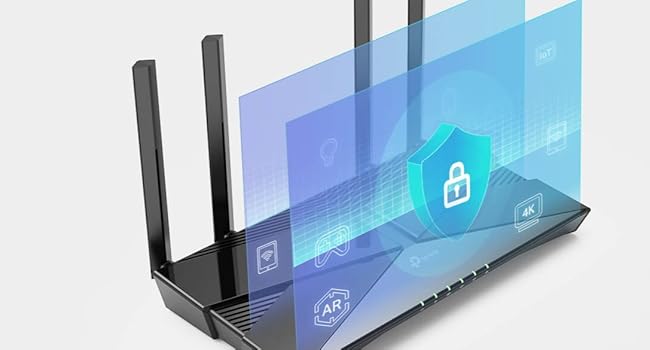
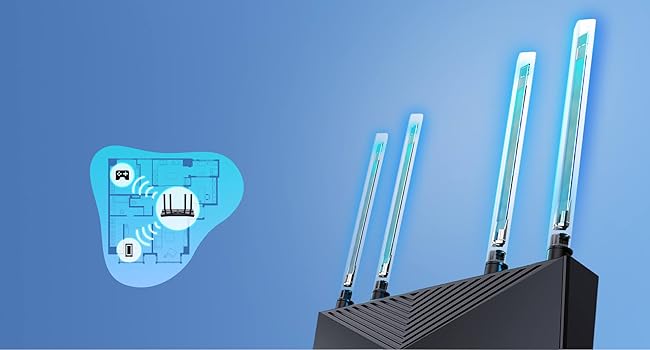
The TP-Link Archer AX23 is a Wi-Fi 6 dual-band router delivering up to 1.8 Gbps speeds with advanced OFDMA technology for reduced latency and jitter. Featuring a powerful dual-core CPU, beamforming antennas, and OneMesh™ compatibility, it ensures seamless whole-home coverage ideal for gaming and 4K streaming. Enhanced WPA3 security and versatile parental controls protect your network, while easy setup via the TP-Link Tether app gets you online fast. Compatible with most ISPs and wired Gigabit connections, it’s designed for the modern connected home.


| Antenna Location | Business, Home |
| Antenna Type | Internal |
| Asin | B09VPRWGR7 |
| Best Sellers Rank | 686 in Computers & Accessories (See Top 100 in Computers & Accessories) 2 in Routers |
| Box Contents | Archer AX23 |
| Brand Name | TP-Link |
| Colour | Stealth Black |
| Compatible Devices | Gaming Console, Laptop, Personal Computer, Smartphone, Tablet |
| Connectivity Protocol | Wi-Fi |
| Connectivity Technology | Ethernet, Wi-Fi |
| Control Method | App |
| Coverage | Better Coverage |
| Customer Reviews | 4.5 4.5 out of 5 stars (16,009) 4.5 out of 5 stars |
| Data Transfer Rate | 1.8 Gigabits Per Second |
| Frequency | 5 GHz |
| Frequency Band Class | Dual-Band |
| Has Internet Connectivity | Yes |
| Has Security Updates | Yes |
| Is Modem Compatible | No |
| Item Dimensions L X W X H | 26L x 13.5W x 4.2H centimetres |
| Item Weight | 0.76 Kilograms |
| Lan Port Bandwidth | 1000 Mbps |
| Manufacturer | TP-Link |
| Manufacturer Part Number | Archer AX23 |
| Maximum Upstream Data Transfer Rate | 900 Megabits Per Second |
| Model Name | Archer AX23 |
| Model Number | Archer AX23 |
| Number Of Antennas | 1 |
| Number Of Ports | 5 |
| Operating System | OpenWRT |
| Other Special Features Of The Product | Beamforming,Access Point Mode,Parental Control,External Antanna |
| Product Warranty | 3 Years |
| Router Firewall Security Level | High |
| Router Network Type | ROUTER |
| Security Protocol | WPA3 |
| Wi Fi Generation | Wi-Fi 6 |
| Wireless Compability | 802.11ax |
User
Perfect Wi-Fi 7 Upgrade – Highly Recommended
I’m really impressed with the TP-Link Deco BE65 (BE9300). It was incredibly easy to install and set up, with the Deco app guiding me through everything step by step. The app is very user-friendly and offers plenty of advanced settings, making it easy to personalise your network exactly how you want it.Performance has been excellent. As an iPhone 16 Pro Max user, I can connect to the dedicated MLO (Multi-Link Operation) network, which provides faster speeds, lower latency, and a more reliable connection on supported Wi-Fi 7 devices. If you have other devices that support MLO, they can also connect and enjoy the same benefits.The hardware itself is excellent, with Wi-Fi 7, four 2.5 Gbps Ethernet ports, USB support, strong coverage, and seamless roaming. Everything has been fast, stable, and reliable.Overall, I’m very happy with my purchase. If you’re looking for a future-proof mesh Wi-Fi system that’s easy to set up but still offers plenty of features for advanced users, I would highly recommend the Deco BE65.
User
Great boost to wifi.
I was having problems with my Virgin broadband router and the WiFi signal so I did some research and this router was highly rated.Firstly, the router looks great, it looks like it means business and is made to serve a purpose. I placed the virgin broadband into router mode and connect this device.After connecting via the app the whole setup was so simple and easy that even a not so tech savvy person like myself found it a breeze. I positioned the antennas in different positions and connected to the router using the original ID and password from the virgin router. This can be set during set up and is completly customisable.There are many different settings to choose from including 2.4 and 5 ghz and also guest networks. The speed of my WiFi increased drastically once having this plugged in and went from around 190Mbps to 270Mbps and the coverage also greatly improved across the house.I have had no complaints in regards to the router itself, my firesticks found it difficult to connect at first but once I connected using the WPS button they have worked as normal.I would highly recommend this item if your wanting to replace your ISP router. It is so easy to set up and use it is actually a doddle. I have since purchased additional booster for the garage which easily connects through the mesh network and again is so simple to install its virtually fool proof.If you want a new router, this is the one. Ive found it great for daily streaming in a house of 5.
User
Finally a router that just behaves itself
I’m not going to overcomplicate it — this thing is fast. Proper fast. Everything loads instantly now, even with loads of devices connected at once. Gaming feels smoother, streaming doesn’t buffer, and downloads actually use my full internet speed.Setup was pretty simple. The app basically holds your hand through it, which I appreciated because I don’t like fiddling around in settings menus trying to guess what does what.What I really like is that I don’t have to think about it anymore. No random drops, no restarting it, no “why is the Wi-Fi slow again?” moments. It just sits there and does its job quietly.I’ve got a bit of a “everything needs to feel organised and stable” thing, and this fits that perfectly. The wired ports are also a big win for my PC setup — everything feels more consistent when it’s plugged in.Only downside is the price, and it’s definitely more router than some people will need. But if you want something solid, future-proof, and stress-free, it’s worth it.
User
Improved signal range across the house
Improved the signal across the house, as I have network cables to all rooms. Vast improvement.I tried wirelessly and barely any change with/without it, so only four stars. Set up to my existing Deco mesh system was so quick
User
Good performance and easy setup
Bought as an add on to an existing Access Point arrangement, really easy and quick. No issues so far.
User
Seamless Connectivity with the TP-Link WiFi 6 OneMesh Router AX1800
I recently integrated the TP-Link WiFi 6 OneMesh Router AX1800 with our home network. Setting it up was straightforward, thanks to the user-friendly app and clear instructions.The OneMesh feature is a game-changer. I linked it with our existing TP-Link range extenders, creating a unified network that gives us smooth, consistent WiFi throughout the house. No more dead zones or dropped connections – just seamless internet everywhere.Performance-wise, the AX1800 is fantastic. The WiFi 6 technology means faster speeds and better efficiency, even with multiple devices connected. Whether the kids or the wife are watching videos, gaming, or working from home, everything runs smoothly.The coverage has also been impressive. Our entire home is now covered with a strong, reliable WiFi signal, including areas that used to have weak or no signal. This has been a lifesaver for maintaining stable connections during video calls and remote work.Overall, the TP-Link WiFi 6 OneMesh Router AX1800 has been a great addition to our home. It offers excellent speed, coverage, and ease of use. If you’re looking to upgrade your home WiFi, I highly recommend this router and using the OneMesh feature for seamless connectivity.
User
Excellent
Much better than the NETGEAR Nighthawk X6 that it replaces. Connections were regularly dropping out. No drop outs at all with this router. Sensible price, easy to set up and reliable.
User
Fast speeds, but broken VPN features and heavily paywalled basic
I bought the TP-Link Deco BE65 expecting a premium Wi-Fi 7 experience, but while the raw hardware speed is impressive, the software ecosystem and broken features are deeply disappointing.​The Good:The internet speed close to the main node is excellent. It fully utilizes my 910Mbps broadband connection without any issues.​The Bad:​Paywalled Basic Features: To access advanced functions, you are forced into expensive subscriptions. Without paying these recurring fees, many essential features are completely locked away, making this premium router no different from other brands.​Broken VPN Server: The built-in VPN Server functionality is completely unusable. Every time I try to access it, the app permanently hangs on a loading screen.​Failed VPN Client Link: I use NordVPN and attempted to set up the VPN client via both WireGuard and OpenVPN config files. It fails to connect every single time. After looking online, I realized this specific issue has been widely reported by users for over a year now, yet TP-Link has still not fixed it.​Signal Drop-Off: While it boasts Wi-Fi 7 tri-band technology (connecting via 5GHz and 6GHz simultaneously), the performance drops significantly over short distances. The secondary node placed in my hallway—separated by just a single door—suffers a 1/3 speed drop, falling to around 600Mbps.​If you just want pure speed near the main unit and don't care about VPNs or paying extra for parental controls, it's okay. Otherwise, look elsewhere.
User
Capable wireless AC router
Box comes with router, power adapter, network cable and an illustrated setup guide. Setup was straightforward and quick. Wifi signal is strong and stable; my MBP RSSI reading is -30 dBm, which is much higher than the previous wireless AC router (-38 dBm) that it replaces. Great buy and value.
User
Starker Wi-Fi 6 Router mit hoher Geschwindigkeit und stabiler Leistung
Der TP-Link Archer AX55 Hat mich bis heute sehr Überzeugt. Am besten gefallen mir die schnellen Verbindungen – sowohl im WLAN als auch bei kabelgebundenen Geräten läuft alles zuverlässig und ohne spürbare Einbrüche.Die Einrichtung gestaltet sich relativ unkompliziert. Der Router ist schnell angeschlossen und über die Benutzeroberfläche einfach konfiguriert. Auch ohne technisches Vorwissen kommt man relativ gut zurecht. Leider hat das Gerät keine Wandmontage n(Im Sinne von Schrauben oder Haken für die Halterung, zumindest nicht in meiner Lieferung). Ich musste etwas… kreativ werden, da ich an der Stelle, an der das Gerät hängt, keine Vorrichtung bauen konnte, um das Gerät zu stellen, die Wand auf der anderen Seite einen tiefen Hohlraum dazwischen hat.Das Gerät wird nahezu im kompletten Haus zuverlässig „angepingt“. Trotz der teils dicken Wände und dem schlechten Altbau Flair hat man doch recht Großzügig WLAN im Haus. Die Verbindung bleibt stabil, selbst bei mehreren gleichzeitig aktiven Geräten. Gerade in Verbindung mit Glasfaseranschlüssen bietet der AX55 ausreichend Geschwindigkeit und moderne Wi-Fi-6-Technologie, um entsprechende Bandbreiten voll auszunutzen – selbst nach Rücksprache mit dem Telekom Support bestätigt sich, dass die Leistung dafür absolut ausreichend ist.Optisch macht der Router ebenfalls etwas her: Das Design wirkt modern und schnittig.Fazit:Ein leistungsstarker Wi-Fi-6-Router mit stabiler Verbindung, hoher Geschwindigkeit, guter Reichweite und einfacher Bedienung. Für aktuelle Internetanschlüsse – inklusive Glasfaser – sehr gut geeignet.
User
Love It
Loved having a separated WiFi for the home devices, guests and home. USB port which can be used for local network storage. Among other software features.
User
Importante
Gostei, me atendeu
User
Facile à paramétrer, nombreuses possibilités, bon rapport qualité prix
Très efficace, utilisé avec un tp-link re500e pour un réseau mesh. Grosse amélioration de la connexion wifi. Il est connecté à une bbox Proximus pour créer un sous réseau. Plus de soucis en cas de panne Proximus, ce réseau local reste fonctionnel (imprimante, nas, autres pc, HomeAssistant, …). J’ai également configuré un vpn WireGuard pour accéder à HomeAssistant quand je suis hors de chez moi.
Trustpilot
2 months ago
3 weeks ago