

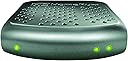



SiliconDust HDHomeRun Connect. Free Broadcast HDTV (2-Tuner)
Product ID: 432345
Details
- BrandSiliconDust
- ColorGrey
- Compatible DevicesComputers TVs
- Connectivity TechnologyNo Wi-Fi
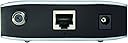
- Connector TypeRJ45
📡1080p Streaming
📺2 Tuners
🔗Wired Network
📡 Elevate Your Viewing Experience - Cut the Cable, Not the Quality!
The SiliconDust HDHomeRun Connect is a cutting-edge digital tuner that allows you to watch live HDTV on up to two devices simultaneously, all while eliminating monthly cable fees. With support for 1080p resolution and compatibility with DLNA devices, this product is perfect for tech-savvy users looking to enhance their home entertainment setup.


| ASIN | B00GY0UB54 |
| Antenna | Television |
| AntennaDescription | Television |
| Best Sellers Rank | #155 in External TV Tuners |
| Brand | SiliconDust |
| Color | Grey |
| Compatible Devices | Computers, Smart TVs, games consoles, Blu-ray players, Tablets, Smartphones |
| Connectivity Technology | No Wi-Fi |
| Connector Type | RJ45 |
| Customer Reviews | 4.1 out of 5 stars 729 Reviews |
| Global Trade Identification Number | 00857799005002 |
| Includes Remote | No |
| Item Weight | 16 ounces |
| Manufacturer | SiliconDust USA, Inc |
| Mfr Part Number | 4112049 |
| Model Number | HDHR4-2US |
| Tuner Type | Digital |
| UPC | 094922394576 857799005002 |
| Unit Count | 2.0 Count |
| Warranty Description | 2 years warranty |
J**T
A critical and reliable component in my Home Theatre
After "cutting the cable," I still needed a way to record all of the programs that my wife and I like to watch. I considered many options including the Channel Master DVR+ and a dedicated home theatre PC with multiple TV tuner cards. Eventually I ended up with a something that includes the best of both worlds, with this unit acting as the tuner. The requirements for the tuner were simple: at least two tuners, HD output, nothing obscure, and good support for the various Linux-based PVR solutions out there. This fit the bill. Setup was simple. Plug in the antenna, ethernet and power cables. The tuner was immediately given an IP address by DHCP, but I changed it to a static IP. All of this was done using a web browser and following the included instructions. Out of the box, the tuner broadcast all of its channels as a uPNP device, which meant I was able to watch them on my PS3, Smart TV and computers simply by opening the channel "file." Since this device outputs raw MPEG2, a fast ethernet or wifi connection is necessary - I measured 16MB/s from the HD channels. There is also an app that lets you watch the channels on an iPhone or iPad, but it has some limitations. First off, it choked on the HD channels - sound was in realtime, but the video was slow and would jump forward once in a while to resync with the audio. Second, many stations broadcast in AC3 (5.1 surround) which the free version of the app will not decode - that costs extra. My suggestion is that if you're planning to watch a lot of realtime TV on your mobile device, get the next better version of this tuner. It can output in MP4, which is not so taxing when it comes with bandwidth. I finished building my PVR system this weekend. In addition to this tuner I built a small Linux computer running MythTV. I used a Zotac "mini PC" and outfitted it with a terabyte hard drive and 4GB of RAM. The computer runs a MythTV backend, and automatically launches xbmc on boot. Since the computer has an HDMI output, I can connect it directly to my home theatre. With this setup, I have the following features: - watch live TV - view a program guide - set up recording on my TV, with rules such as "all new episodes" - set up recording from any computer in the house via a web interface - watch recorded programs on the TV or on any computer in the house - watch movies stored on my network file server - control the xbmc interface using my iPod/iPhone, iPad, computer, or remote (using a USB IR receiver) Pretty good setup, for less than the cost of a DVR+! This tuner has been extremely reliable so far, with no downtime that I've ever noticed. It pulls in more channels than my Samsung smart TV; I get all the networks so I'm satisfied. And it really is full quality HD on channels broadcasting in HD. They look great. I do recommend this model or any of the higher-end versions.
T**M
Awesome. Works great with Comcast in North LA. Was easy to set up. Seriously, it was.
Installed Comcast today. Technician said they(field technicians) don't work with cable cards much anymore, simply because they are usually installing their equipment which has cards already installed and registered. He was very helpful, however. First he set up our internet. ( Used a Arris TM822G-NA purchased on Amazon ) That was the longest part of the whole install by far. After setting up the internet and phone through the Arris TM822, he started the process for the Silicon Dust HDHomerun Prime. I ran the Silicon Dust setup program. He had written the numbers from the Cable card down. There is 1 code on it that he will give to the tech people over the phone 1st in the registration part of the set up. After that, he read them the Cable Card ID and Host ID numbers generated by the HDHomerun Setup program. This is the part where we both found you just have to be patient. It can take 1-30 minutes for the card to be validated after he gives the tech people these two sets of numbers. It took maybe 5-10 minutes tops. When you have the HDHomerun Prime install page up, just refresh it every couple minutes. You will know when it is ready. I ran the channel scan and it took about 10-15 minutes. After that, I did the set up in WMC. It was straight forward and painless. No more calls required either. Wow!!! This thing is awesome. We have a HTPC in the living room and a PC for each of my two children plus one in our bedroom. 4 displays ( TV's ) I also have the Silicon Dust HDHomerun Dual and a Hauppage 2250 dual tuner card. 7 tuners available. 4 over the air and 3 for Comcast. All accessible on any computer at anytime. I used My Channel Logos to populate the channel logos and do some adjustments of the WMC guide. Simply awesome. I recommend a set up like mine. It is as follows. Modem(Arris TM822G-NA) connected to router(Netgear Nighthawk 3200). Router connected to 8 port gigabit switch. Each computer in house connected to switch via ethernet cable. The Silicon Dust HDHomerun Prime and Homerun Dual are connected to switch as well. Absolutely flawless so far in quality. Again, we have the 50Mbps internet plan from Comcast. In Media center it shows all the channels, even the ones we don't subscribe to. It won't let you view the ones we don't subscribe to however. Also, you will not have the ability to do pay-per-view, on demand purchases. Otherwise you get a super nice 3 tuner cable box/dvr !!!
C**I
Decent, affordable network tuner
I bought this to replace a HDHR3-US network tuner (previous model, it was 11 years old, so it had a long life). I sort of knew what I was getting into and this model shares many of the same traits as its predecessor and it's a bit cheaper too. After a few weeks of recording shows, it seems to be working well. Configuration: Configuration is close to plug and play as you can get. Plug it into your router, a power source and an antenna and maybe do a scan with their software and boom you're watching tv. The app will quickly find the device on your network and display any channels it can lock onto. Channels are displayed in the app with their local call sign and logo. Picture is very clear depending on what your stations are broadcasting, everything from 480P to 1080i where I am. Thanks to my antena, also from Amazon, I get ~33 channels, the same as my previous model. I use it in a home theater pc setup to record local shows with MythTV. Shipping: Box is a bit dinged up (bought from Techmazen Goods) and may or may not have been opened previously. But everything was inside and looked undamaged and unused. Build: Simple plastic shell over a circuit board. Pros: Easy to setup, configure and use. At ~$60 very affordable. Cons: High bandwidth usage. Because this takes whatever is over the air and throws it onto the network, it becomes a bit of a network hog. Watching over wireless is spotty, but usable. Wired connections are recommended, maybe even a Gigabit switch if you don't have one. I usually watch transcoded recordings, so bandwidth is not a concern. If you want a cheap way to watch/record tv over your network (recommend wired as much as possible) this will probably work for you. Thanks for reading.
M**Y
How to set it up with Elgato EyeTV on a mac running OSX
I had a lot of trouble setting this up (and the company web site is completely unhelpful) so let me help people out here. I am assuming you want to run this with EyeTV --- I've no useful info if you have other plans. - Install the device in the obvious way --- connect your antenna coax, your ethernet cable, your power adaptor. - Go to SiliconDust's website, find the download section, and download the Mac installer. - The installer will install two basically useless apps, whose sole purpose, IMHO, is to validate that things kinda work. Run the setup app and you should get a truly barebones window which asks you to choose channels. Ignore all that, all we care about is that (presumably) this shows your mac can see the HD HomeRun. Run the Player app, and you should now get live TV and should be able to change the channel. Again, all we care about is proof that things work at this level. Now go to EyeTV. If this is the first time you have installed EyeTV, things should be easy. During the installation process it will ask you what TV tuner you have, and tell it Elgato/HomeRun (or IPTV/HomeRun --- both work). Go through the rest of the installation and things should work fine. Where things are less obvious is if you already have EyeTV installed and running, connected to some other TV tuner(s). You might expect that you'd see the HomeRun in the Devices panel, which lists all your tuners, but you don't, and all the dicking around in the world won't change that. WHAT YOU NEED TO DO is go to the main EyeTV menu and rerun the EyeTV Setup Assistant. This will ask you what tuner you want to use and, like I said above, choose the Home Run. Skip over every subsequent step (like selecting channels). This seems like a terrifying step --- you may fear you will lose all your current state --- but it works fine. EyeTV remembers your current channels (and recording preferences, TVGuide subscription, etc) and just adds the HomeRun to your available tuners, along with whatever other tuners you had previously. Do be aware, however, that when running the Setup Assistant it will ask you for your EyeTV license key, so make sure you have that on-hand before you start down this path. You can check that everything is working by using the command-O command, which will cycle through your list of tuners, showing you the channel each is connected to --- the name of the tuner will appear in the window menu bar, so make sure the window is not maximized. You should be able to cycle through your pre-existing tuner(s) followed by two HomeRun tuners, and obviously you can try changing channels for each one. From this point on everything should just work. In particular, you can set the system up to record as many simultaneous shows as you have tuners, which can be useful for those occasions where three shows you like are all scheduled at the same time. One final thing: Depending on when you installed EyeTV, you may have installed a piece of (now obsolete) companion software called EyeTV connect. This software somehow prevents other software on your computer from seeing the HD HomeRun. In particular it prevents VLC from seeing it. Do a search for "EyeTV Connect Uninstaller" and you'll find an Elgato page with the uninstaller. After you run the uninstaller and reboot, you should now (unlike before) see the HD Home Run in the Local Network/Universal PlugnPlay section of the main VLC window, on the off chance that you want to use VLC rather than EyeTV to connect to the HD HomeRun. If you're trying to debug, the HomeRun registers itself with your DHCP server as you'd expect, so you should see it (and be able to figure out its IP address) from seeing what you have registered there. It does respond to pings. It starts up with only one port (UDP 1900, the UPnP port) open but should respond to appropriate requests from any UPnP/DLNA client on your network (like VLC). The two problems I am aware of are those I described above --- EyeTV Connect blocks the UPnP visibility for VLC until it is uninstalled; and EyeTV doesn't know the box is there until you run the EyeTV Setup Assistant. One final thing. The box is small and crazy light, so once you have everything working the way you want, you'll probably want to hold it down on your media center with double sided tape or velcro or something, otherwise it's very prone to flopping around. Just plan for that so you aren't irritated by it a week or so after the install.
R**C
Decent Reception Quality
It's infinitely easier to install and setup than a PCI-e based ATSC tuner card, and the HDHR4's reception is a bit better than the couple of those that I've used, but still falls short of my TV's weak signal reception. Needs a spare network port and only works with DHCP IP assignment. But also means an old laptop (with DVI/HDMI outputs to your TV) can work as your DVR. With DLNA/UPNP apps, you can watch TV on your Android/iPhone. UPNPlay+VLC works great on Android. Other devices like XBox/PS can stream from the HDHR as well. HDTV streaming works up to 50ft away from my 802.11n WiFi router, and SD streams even further. But that depends on local interference, phone performance, building materials, specific WiFi router, etc. "HDHomeRun Signal Meter" free app for Android makes it pretty easy to aim an OTA antenna (if it's within range of your WiFi signal). Unfortunately the meter/app doesn't beep, so you need a free hand (or table) & a free eyeball, but still immensely helpful. Alternatively, you can get something like a Viewtv AT-163 set-top DVR here on Amazon for just $30 right now, then connect a USB hard drive about $100 total. Using a computer provides infinitely more features, control and flexibility, but is obviously much more expensive up-front, and lots of people may be perfectly happy with the cheaper option (above). I appreciate being able to edit out commercials and re-encode to smaller sizes anything I want to save, as well as being able to stream my video archives (or live TV) across the internet to my phone or remote laptop when traveling, and occasionally recording to DVD for sharing. I'm disappointed that the embedded web page is so crippled. It should take only a minimum amount of effort to embed a player that would let any connected browser start watching TV immediately. Sadly, you won't be able to do anything with it before installing the software, locally. HTTP transport works great with my highdef WiFi PTZ surveillance cameras (so it should be doable here, too), and makes setup of the device easier, and far more versatile. Making the streams easily accessible over HTTP should be the first thing they did with this box.
L**L
Great Dual Over-the-air Wireless TV Tuner...very well made and easy to setup.
This is the second one of these that I have owned. I thought my original had failed after 10+ (?) years, but it turned out that the power adapter failed, not the HDHome Run (so now I have a backup if ever needed). However, I am glad to have the newer one as it seems faster and still works great with the EyeTV software that came with the first one. These are so very well made - this really matters in a world where the electronics are designed to fail in just a few years. For a very long time, I have used this device to tune in over-the-air (broadcast) tv. I have two tv's in my house - both have Apple TV's attached so they access the tuner directly (wirelessly). I also have the EyeTV Hybrid on my computer that has a remote, so, for dvr recording I use the Hybrid to record to my hard drive and then playback from the tv's. As the EyeTV Hybrid carries it's own remote, I find that it will even control the software when the computer is using the HDHomeRun tuner rather than the Hybrid's tuner (seems to go where ever it can find the best signal - it can see both the wireless signal from the HDHomeRun and the wired signal from the Hybrid). Cannot begin to explain how this all works in a technical sense, but from the user side...it just does. Programming the tv recordings is easy peasy and I cannot stress how easy that is. I just tell it what show, what channel, what day and time and if it is a one-time or a weekly recording - the software/tuner does the rest. Last but not least, the channel guide allows me to scan for all available channels (this is a lot nowadays) and then choose favorites so I don't have to cycle through all the channels all the time.
J**N
Works with PLEX DVR
PLEX DVR (beta) has just been released to Plex Pass Members There are only two 'approved' devices at this point, and this is one of them - which is why I bought it. The PLEX DVR software allows you to schedule recordings on your PLEX Server. Once you setup the DVR in Plex (it was really easy to do - google 'Plex DVR') PLEX will download the 'programming guide' info for the channels that you get. Then it is just a matter of clicking on the show and setting up the recording options for it Note - I am using this with an Over the Air Antenna. I am in S Cal and I can get about 140 digital channels from the Los Angeles area, about 15 are the ones that I want to watch - main channels like ABS, CBS, etc I only got this working this morning but so far I have been very pleased. It was very easy to add to my existing Plex Media Server and I am really surprised how the picture quality it is. I am getting ready to 'cut the cord' in another 6 months or so when my Dish subscription ends out, and this looks like a pretty good way to go - especially if you are already a PLEX user Edit to add - someone asked if this would record two channels at the same time. I noticed this morning that I had it set to record some kids shows in PLEX and sure enough it is recording these two channels at the same time. Also, I was very pleased with the "Gracenote TV Guide" that PLEX uses. For example, I saw the "Commander in Chief" debate was on tonight. I went into Plex and started typing Commander in the search bar, an sure enough it pulled up the listing and I just clicked on it to set up a recording. photo added to show the two programs recording at same time
B**O
You really need two of these to be happy
I've been a cord cutter since 2014. I've used a tivo OTA box as my DVR for most of that time. It's a great 1 TV solution. I've been looking for a whole house DVR solution but most of the available options had less than stellar reviews. When i heard about the Silicon dust HD Homerun tuners I was interested because they offered flexibility in how they could be used. If you want to put TV in different rooms of your house but can't run coax cables to where you want the TV, this could be a good solution. Connect this to your antenna and network and all you need to do is add a compatible streaming device to the TV and you can watch whatever is available over the air. The program guide is very inexpensive and reasonably functional. If you want DVR capability, you have a couple of options. The best options are adding a NAS storage device or using an existing computer as your DVR storage device. I originally intended to use this with a linux desktop computer as my DVR. I had a lot of trouble with the Linux version of the software. I reinstalled Windows 10 on that computer and that worked much better for me. I had a number of crashes and malfunctions that I first blamed on the HD homerun device. After experimenting I found the problems had more to do with the Fire TV stick app for this than with the hardware itself. I purchased a pre-owned one of these that I could experiment with. This is only a two tuner device. For TV watching that was fine for me because there are only two of us in the house. When I added the DVR capability, it didn't take long to realize that two tuners was not enough. I added the second one (One of the great things about these is that you can use multiple homerun boxes together pretty much seamlessly). With 4 tuners now, I'm very happy with the setup. You do need to know that this is not a simple plug and play device. You need to have a little bit of willingness to tinker with options for your set up. You will also need other hardware to make this work. At a minimum, you need an antenna and a wireless router, and a compatible streaming box. FireTV stick works. Roku does not work at all with this. Once it's set up, you can access it on any of your TV's by adding another streaming device. It offers the most flexibility you'll find with a whole house dvr setup, but it requires a little work. I'm happy with mine.
Trustpilot
4 days ago
3 weeks ago