Buy anything from 5,000+ international stores. One checkout price. No surprise fees. Join 2M+ shoppers on Desertcart.
Desertcart purchases this item on your behalf and handles shipping, customs, and support to Macau.
🔘 Your smart home’s secret weapon for effortless control and next-level convenience.
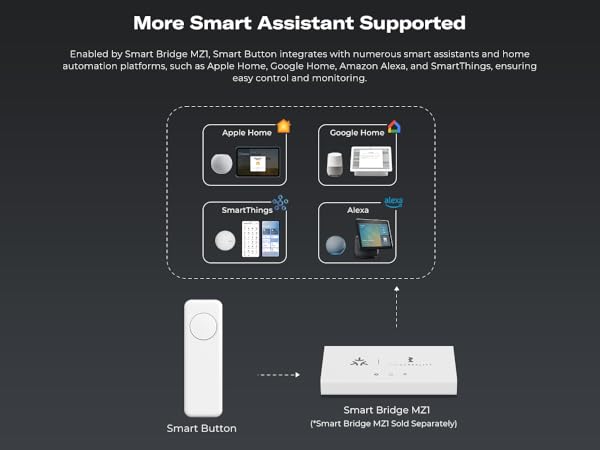
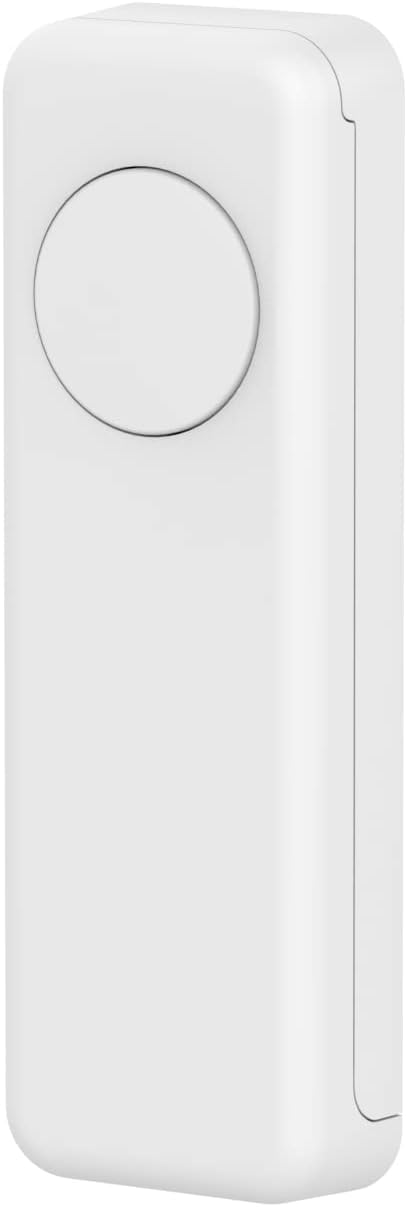
The THIRDREALITY ZigBee Smart Button is a compact, battery-powered remote control designed for ZigBee 3.0 smart home hubs. It supports three programmable press types—single, double, and long press—to trigger customized smart home scenes or device groups. Compatible with major platforms like SmartThings, Hubitat, and Home Assistant, it offers flexible mounting options and a long-lasting 3-year battery life using standard AAA batteries. Ideal for professionals seeking reliable, tactile control beyond voice commands.


| ASIN | B09ZQGZX3G |
| Additional Features | Ergonomic |
| Battery Type | Alkaline |
| Best Sellers Rank | #20,553 in Tools & Home Improvement ( See Top 100 in Tools & Home Improvement ) #29 in Home Automation Hubs & Controllers |
| Brand | THIRDREALITY |
| Button Quantity | 1 |
| Color | White |
| Compatible Devices | Fan |
| Connectivity Technology | ZigBee |
| Controller Type | Zigbee |
| Customer Reviews | 4.4 out of 5 stars 688 Reviews |
| EU Spare Part Availability Duration | 3 Years |
| Item Weight | 0.09 Pounds |
| Manufacturer | Third Reality, Inc |
| Max Number of Supported Devices | 1 |
| Maximum Number of Supported Devices | 1 |
| Maximum Range | 10 Meters |
| Mfr Part Number | 850001595575 |
| Model Name | 3RSB022Z |
| Model Number | 850001595575 |
| Number of Batteries | 2 AAA batteries required. |
| Smart Home Compatibility | Smart Home Compatible |
| Special Feature | Ergonomic |
| UPC | 850001595575 |
| Unit Count | 1.0 Count |
T**D
Versatile and dependable!
A great addition to my smart home. Added one in the bedroom to control lights and raise or lower my sleep number bed as an alternative to voice commands using Alexa. (Very useful when the wife is asleep). Easily paired with my Sonoff zigbee gateway in Home Assistant and has worked flawlessly for months. I’ve added two more: one for my wife’s side of the bed and another for the tv room. With 3 programmable options (single short click, double click, or single long press) it is very easy to customize functions.
A**R
Reliable, Versatile, and the Perfect Smart Partner!
This THIRDREALITY Zigbee Smart Button is easily one of the most reliable additions to my smart home. It paired instantly with my hub and offers a rock-solid local connection—a lifesaver for controlling lights when the internet goes out. The 3-way control (single, double, and long press) provides great versatility, and I love that it uses standard AAA batteries instead of those annoying coin cells, making maintenance much easier. I’ve specifically paired it with the THIRDREALITY R3 Presence Sensor, and they work perfectly together; while the R3 handles the automated presence detection, the button gives me a quick, tactile way to override scenes or trigger specific routines without needing to use voice commands. It’s compact, responsive, and available in different colors for easy room identification—definitely a 5-star product for any Zigbee-based setup!
P**N
Button works well
This works quite well with my Home Assistant (hosted on Raspberry Pi 4B with ZBT-2 wireless). Mine is one floor down and through an interior wall, and communicates reliably. Press and double-press are flawless, but the timing for long-press feels like it has a small learning curve. Think about what color you really want. I got blue, imagining it being used handheld, but ended up sticking it to a wall, where…well, you can't miss it.
S**B
Very nice price for a perfect solution for our SmartThings home
Very reasonably priced Zigbee button for our SmartThings system. It connected almost immediately and so far has stayed connected and responds immediately. We really like that they come in different colors so we can use them for different rooms and different scenes. It offers a single press, double press, and long press - more than enough options for what we need them for. We are planning on purchasing several more to mount on the back side of our Google Nest Hubs. Our SmartThings hub will only control lights when the internet goes out if you have routines set up. With these buttons you can still control devices when the internet is out. Time will only tell how long the batteries last considering we don't really use the buttons unless we decide to not speak to Google or the internet goes out.
S**O
Garage Opener: Worked Only When Zigbee Was Always Connected
I am experimenting this smart button as a garage door opener remote. This device connected to my Home Assistant immediately, and easy to incorporate into automation. The blue LED indicator comes on when the button is placed but pretty faint, so it's hard to see the blue light especially during the daytime. While I can open the garage door from the inside the house reliably, but not from outside the house - due to the limited range of zigbee. Since the remote will go offline when the remote is away from the house and need to reconnect to the network, this may be why the remote will not open the garage door immediately. I am still optimizing zigbee network, but beginning to think that my old 90s garage door remote is more reliable and has a better range than zigbee-based remote. I tried another company's zigbee remote, but no better, possibly worse than this one. Update: I ended up using a wifi-based smart button as a garage door opener, which I found it more reliable. Reconnecting to the zigbee network is too slow (I think). I still like using this zigbee button for disarming my blink system and as a smart light switch, in both cases, the button is always connected to my zigbee network at home. Unlike a bluetooth based button used in the same circumstances, this zigbee button works 100% of time. Update 2 (August 2025): Almost a year since I purchased this zigbee remote. I now have three in my house for arming/disarming my blink system and turning on/off my bedroom light. I gave up all smart options (zigbee, bluetooth, wifi buttons) as a garage door remote in the car - I think reconnecting to the home network just takes too long so I went back to the original RF remote. From inside the house, no problem though.
B**I
Works well with ZigBee Smart Switch and Smart Bridge – a great companion piece
I have a lightswitch that I need to control from another floor that uses a ZigBee Smart Switch and Smart Bridge. Once those were setup, it was easy to add this to my HomeKit setup and set up an automation that would remotely control the switch.
C**R
Three button model requires advanced configuration in home assistant. Works well once configured
Works well. I was worried about the beep others mentioned but it only beeps when pairing and to indicate full charge. The three button model requires some configuration in home assistant, since it doesn't get identified as a button. You have to make an automation to listen for the ZHA events. Here's a YAML for an automation with blank actions. You can paste it in the yaml editor then add actions in the GUI. The actions go under the conditions alias: "ZB2 Black Remote" trigger: - platform: event event_type: zha_event event_data: device_ieee: "c0:00:28:2c:02:b6:2c:d8" command: recall params: scene_id: 111 id: btn1_single - platform: event event_type: zha_event event_data: device_ieee: "c0:00:28:2c:02:b6:2c:d8" command: recall params: scene_id: 112 id: btn1_double - platform: event event_type: zha_event event_data: device_ieee: "c0:00:28:2c:02:b6:2c:d8" command: recall params: scene_id: 113 id: btn1_hold - platform: event event_type: zha_event event_data: device_ieee: "c0:00:28:2c:02:b6:2c:d8" command: recall params: scene_id: 121 id: btn2_single - platform: event event_type: zha_event event_data: device_ieee: "c0:00:28:2c:02:b6:2c:d8" command: recall params: scene_id: 122 id: btn2_double - platform: event event_type: zha_event event_data: device_ieee: "c0:00:28:2c:02:b6:2c:d8" command: recall params: scene_id: 123 id: btn2_hold - platform: event event_type: zha_event event_data: device_ieee: "c0:00:28:2c:02:b6:2c:d8" command: recall params: scene_id: 131 id: btn3_single - platform: event event_type: zha_event event_data: device_ieee: "c0:00:28:2c:02:b6:2c:d8" command: recall params: scene_id: 132 id: btn3_double - platform: event event_type: zha_event event_data: device_ieee: "c0:00:28:2c:02:b6:2c:d8" command: recall params: scene_id: 133 id: btn3_hold condition: [] action: - choose: - conditions: - condition: trigger id: btn1_single sequence: [] - conditions: - condition: trigger id: btn1_double sequence: [] - conditions: - condition: trigger id: btn1_hold sequence: [] - conditions: - condition: trigger id: btn2_single sequence: [] - conditions: - condition: trigger id: btn2_double sequence: [] - conditions: - condition: trigger id: btn2_hold sequence: [] - conditions: - condition: trigger id: btn3_single sequence: [] - conditions: - condition: trigger id: btn3_double sequence: [] - conditions: - condition: trigger id: btn3_hold sequence: [] mode: single
B**E
Difficult to set up, but work well when set up.
I love these smart buttons. They did take some work to figure out. You have to press one set of buttons to get in normal zigbee pairing mode, and another for an Amazon Echo. Echo's will only recognize it as a contact sensor, not a button. This limits the functionality. In one house I have these set up with SmartThings Hub. They serve as emergency buttons for my parents. I have them placed through the house, when pressed they send a text message to me and my siblings. I also like that they are available in colors. This can easily distinguish them. However, I wish there was an option to by all of one color (e.g. 3 red buttons) instead of 1 yellow, 1 blue and 1 red. I currently have white buttons to control lights and tv, and color buttons as emergency.
A**.
Cannot be added to Smart Life, Tuya
Cannot connect to Smart Life, Tuya or any other app. Therefore useless.
A**R
Good value
Superb piece of kit, easy to add to IoT se-up and highly effective and adaptable - recommended
Y**R
Won’t stay synced
I have to re-pair them with Alexa routine almost every time I use them. Such a pain
L**N
Great customer service!
Had a small hiccup when I first got this - the press functions weren't showing up in ZHA for automations. Customer service got back to me quickly and explained it's a platform integration issue. They gave me a local script to use in the meanwhile, and it's been working perfectly since. Very happy with the performance!
G**G
Restricción geografica para mexico/Desprograma
El equipo no funciona directo con alexa aunque tenga zigbee, se ocupa un hub, si estas en mexico tienes que hacer el cambio de pais en ka configuracion de tu alexa, de lo contrario el skill no funcionara, tiene restriccion geografica una vez que lo haces eso funciona muy bien. Cuatro estrellas debido debido a que tengo que usar hub adicional y cambiar zona geografica en alexa. Adicional a esto cada que hay un corte de electricidad hay que configurarse de nuevo.
Trustpilot
1 week ago
3 weeks ago