Desertcart purchases this item on your behalf and handles shipping, customs, and support to Macau.
๐ฏ Command your smart home scenes with a tapโbecause your lifestyle deserves effortless control!
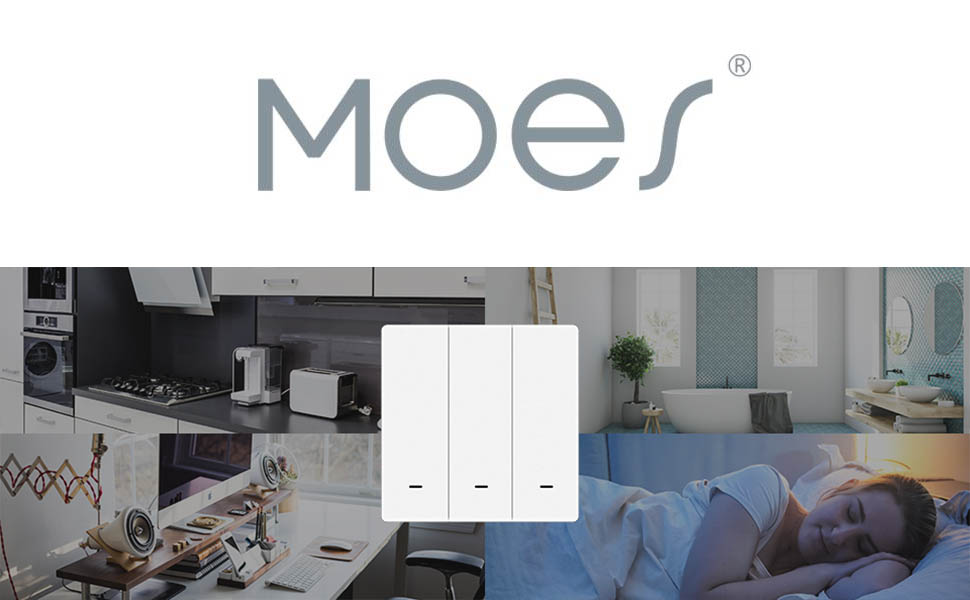
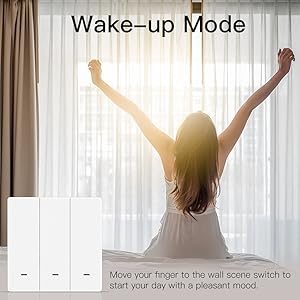
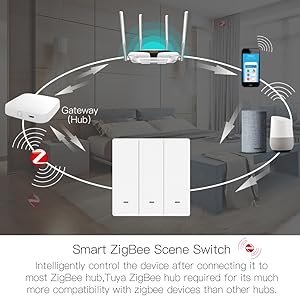
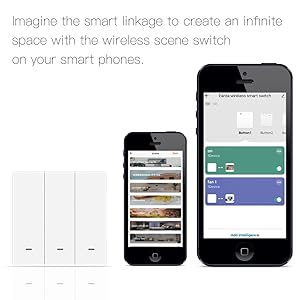
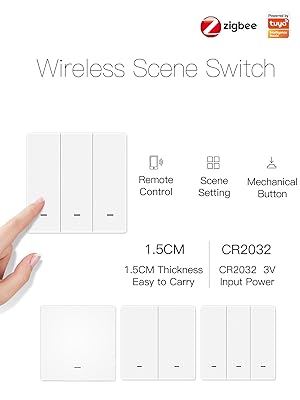
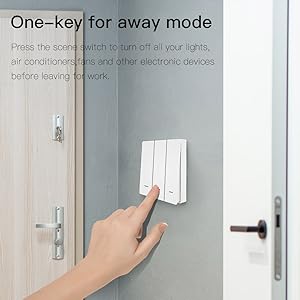
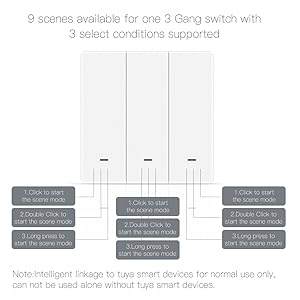
The MOES ZigBee Wireless Scene Switch is a 3-gang push button controller designed for seamless integration with Tuya smart devices via ZigBee protocol. It offers 9 programmable scene modes through single, double, and long presses, enabling versatile home automation without wiring. Powered by a CR2032 battery (not included) and mountable anywhere with included double-sided tape, it delivers compact, low-power, and flexible smart control for modern connected homes.


| ASIN | B09VDDFHSC |
| Actuator Type | Push Button |
| Best Sellers Rank | 53,024 in DIY & Tools ( See Top 100 in DIY & Tools ) 488 in Switches & Dimmers |
| Brand | MOES |
| Circuit Type | 3-way |
| Colour | White |
| Compatible Devices | Tuya smart devices, Smart Life app, Tuya app |
| Connectivity Protocol | ZigBee |
| Connector Type | Wireless |
| Connector type | Wireless |
| Contact Material | Bronze |
| Contact Type | Normally Open |
| Contact type | Normally Open |
| Control Method | Remote, Voice |
| Control Type | Advanced |
| Controller Type | Push Button |
| Country Of Origin | China |
| Current Rating | 10 Amps |
| Current rating | 10 Amps |
| Customer Reviews | 3.7 out of 5 stars 138 Reviews |
| EU Spare Part Availability Duration | 2 Years |
| Global Trade Identification Number | 06974246474816 |
| Included Components | One Switch |
| International Protection Rating | IP20 |
| Item Dimensions | 10.7 x 10 x 4.5 centimetres |
| Manufacturer | WENZHOU NOVA NEW ENERGY CO.,LTD |
| Manufacturer Part Number | SCH-B-EU3-MS |
| Material | Plastic |
| Model Number | SCH-B-EU3-MS |
| Mounting Type | Wall Mount |
| Number of Items | 1 |
| Number of Positions | 3 |
| Operating Voltage | 3 Volts (DC) |
| Operating voltage | 3 Volts (DC) |
| Operation Mode | ON-OFF |
| Operation mode | ON-OFF |
| Specification Met | CE |
| Switch Type | Push Button |
| Terminal | Screw |
| Unit Count | 1.0 count |
| Upper Temperature Rating | 45 Degrees Celsius |
S**U
Works as expected, same MOES product quality.
I have another MOES similar switch, that was was powered one, this is a flat one which sits on the while, perfect for a 20mm socket I had which could not fit the powered one. holes perfectly align to the UK socket holes, and cover goes on top.
M**E
Simple-to-use ZigBee buttons
Does the job it's meant to. Used with HomeAssistant it shows as a Tuya switch with a single action field, that will change its state showing 'single', 'double' or 'hold' on all three buttons. Works nicely. You could potentially use it as a dimmer (left and right buttons changing brightness), or just have all the buttons controlling different things. Minus one star because this does mean you can't use Zigbee direct bindings for optimum speed, and there is a small delay in waking, sending the message, and processing (under a second, but noticeable)
J**H
Compatible with Home Assistant ZHA
I really wanted to use an Aqara triple rocker H1 remote switch, but (a) the triple rocker isnโt available in the UK at time of writing (and there is no ETA either), I couldnโt find one in Europe, and only the H1M intended for the Chinese mainland could be found further afield, and (b) it turns out that Aqara remote switches are a complete PITA to integrate with Home Assistant using ZHA. As a result, I bought one of these MOES ZigBee Wireless Scene Switches to use whilst working out what automations are wanted in each room when a switch is pressed. So, first impression is that feels much cheaper than the Aqara double rocker that I had tried previously. Second impression is that anybody who prints an instruction sheet using such faint print really doesnโt care about their customers. It is barely legible โ you have to get the light just right and still squint. Third impression (and I should have spotted this in the product details), they donโt even include the battery, so really not thinking about convenience for the customer. The instructions (if you can read them) talk about installing a particular app, which then wants you to be using a particular gateway. Iโm not using that gateway and don't want to use that app. Ignoring the instructions, I paired the switch with Home Assistant using ZHA. It took a couple of attempts for some reason, but got there in the end. After pairing, Home Assistant shows three batteries and nothing else. Go to add an automation and you can then see what is actually available. Short press, long press and double press, battery level change, and device offline, are all available as triggers (not using those names). In practice, the double press seems unreliable, being misinterpreted as short presses, but over time I've found that I've adapted my double press action so that it is more reliable for me (if not for other users). The long press is soooo long that I wouldnโt use it for anything other than a reset (or something else destructive). So, just short presses, battery level change, and device offline, in practice most of the time then, with a double press that only I use. Being battery operated, this is a Zigbee EndDevice rather than being a router in the Zigbee mesh (as would be expected). Physically mounting the switch is simple if using the supplied double-sided tape. You can also screw it into position, but as Iโm just experimenting with it, Iโm not doing that. Four blobs of Blu-Tack hold it well when experimenting. It'll be interesting to see how long the battery lasts, as others report it runs out very quickly. However, for my immediate purpose, itโs meeting a need. When I eventually install smart wall switches throughout the house, I will want something that isnโt so plasticky and clunky. This one is fine, but it's not great. [Edit: The battery lasted over a year of regular use. However, it reported 100% until the day that it went flat...]
J**S
works well and great value for money
X**E
Absolutely useless
I have put two sets of batteries in this now the batteries only last up to two weeks before they are completely flat
H**J
Easy to configure
Connected straight to home assistant with ZHA and easy to setup using a blueprint.
M**M
Works with home assistant. No problem.
So far it is working fine. No battery included so bare that in mind. Not sure how long it will last.
K**R
Compatibility claims hugely exaggerated - this is Tuya ONLY
Although the packaging prominently claims this Zigbee switch โworks withโ Alexa and Google Assistant, the reality is that a Zigbee scene switch is INVISIBLE to both voice systems. Tuya does NOT export scene switches to Alexa AT ALL. It does export the โtap to runโ automations that the switch could trigger, but not the switch itselfโฆ so it can ONLY be used to control other Tuya devices. Alexa cannot act as glue to connect this to other systems. Tuya DOES expose the switch to Assistantโฆ but ONLY its battery level! So you can get Google to turn on a light when the batteryโs low, but NOT when the switch is pressed. So ignore the โworks withโ fluff - this is a Tuya-local switch for Tuya-local devices, thereโs nothing for you here Alexa and Gemini.
S**R
Funktionieren perfekt
Laufen perfekt auch schon eine ganze Weile, ohne sofort Batteriewechsel zu fordern. Lidl Hone App mit Router geht supi. Einfach neben die Tรผr kleben und ohne Kabel Zigbee Lampen schalten.
A**O
Ottimo, facile da configurare e funzionale
Facile da agganciare con dispositivo zigbee, anche in home assistant, e funziona bene. Ottima qualita per il costo
A**X
Works well
No issues. Works well. I had another one already and know that battery lasts more than an year. Hold down the leftmost button to pair/reset.
J**L
5stars
5stars
R**L
Zigbee schakelaar
Batterijtje er in, koppelen aan de Zigbee hub en schakelen maar.
Trustpilot
1 month ago
2 weeks ago