
Buy anything from 5,000+ international stores. One checkout price. No surprise fees. Join 2M+ shoppers on Desertcart.
Desertcart purchases this item on your behalf and handles shipping, customs, and support to Macau.
โก Elevate your display gameโconnect like a pro, anywhere, anytime!
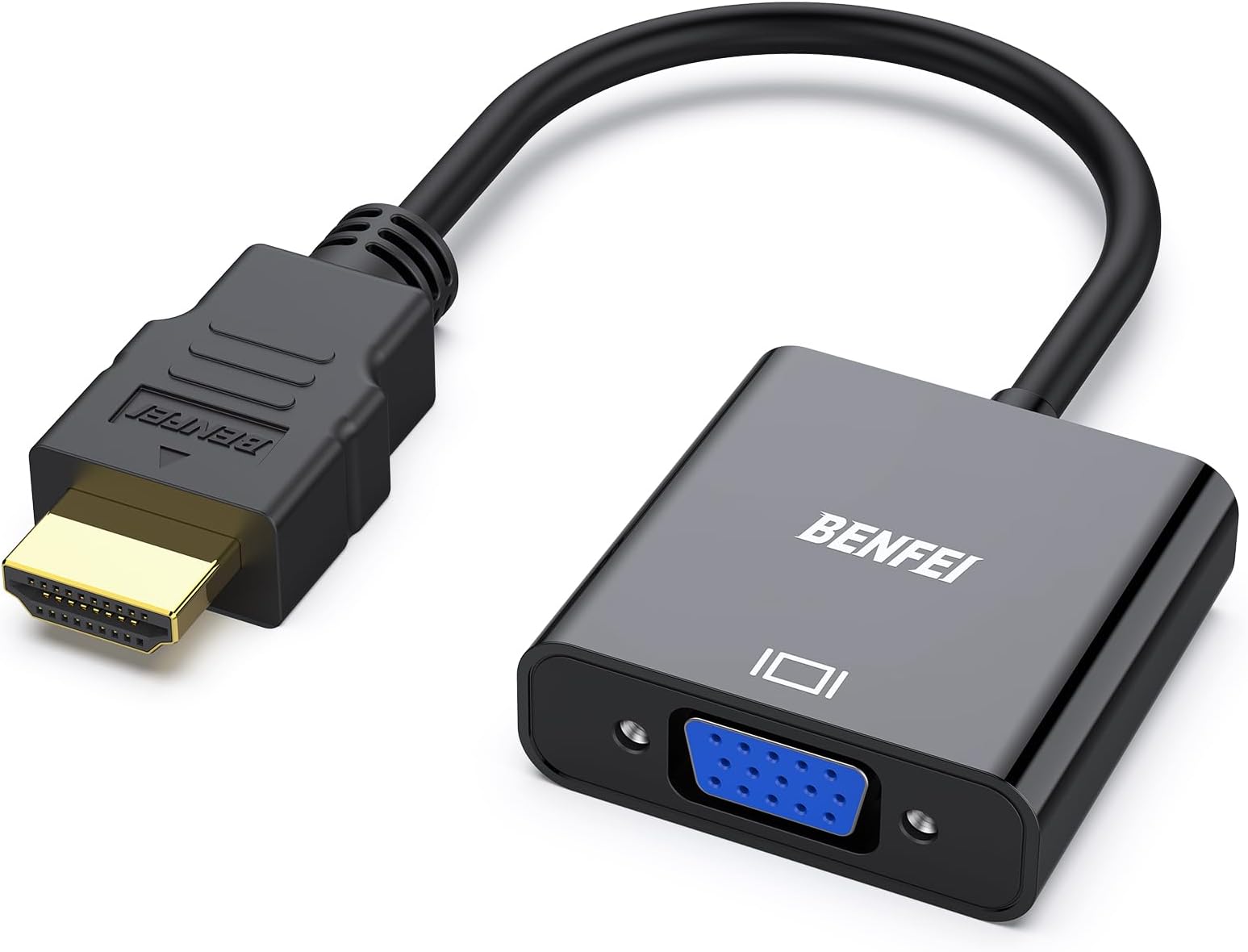
The BENFEI HDMI to VGA adapter is a compact, gold-plated converter designed for professionals needing reliable, high-definition signal conversion from HDMI sources to VGA displays. Supporting resolutions up to 1080p at 60Hz, it ensures crisp visuals for presentations and extended screens. Its durable build and broad compatibility with popular devices make it an essential tool for seamless connectivity in any workspace.


| ASIN | B075GZ8DX7 |
| Best Sellers Rank | #3 in HDMI-to-VGA Adapters |
| Brand | BENFEI |
| Built-In Media | Cable |
| Color | Black |
| Compatible Devices | Computer, Desktop, Laptop, Ultrabook, Notebook, Chromebook, Raspberry Pi, Intel Nuc, Roku, PS3, Xbox One, 360, Wii U, Set Top Box, TV Monitor, Projector, HDTV, Asus, Lenovo, Huawei, Panasonic Compatible Devices Computer, Desktop, Laptop, Ultrabook, Notebook, Chromebook, Raspberry Pi, Intel Nuc, Roku, PS3, Xbox One, 360, Wii U, Set Top Box, TV Monitor, Projector, HDTV, Asus, Lenovo, Huawei, Panasonic See more |
| Connector Type | HDMI |
| Current Rating | 1 Amps |
| Customer Reviews | 4.6 out of 5 stars 62,158 Reviews |
| External Testing Certification | 177202201739 |
| Finish | Matte |
| Input Voltage | 240 Volts |
| Item Dimensions | 0.39 x 0.39 x 0.39 inches |
| Item Weight | 0.96 Ounces |
| Item dimensions L x W x H | 0.39 x 0.39 x 0.39 inches |
| Manufacturer | BENFEI |
| Mfr Part Number | 606682478665 |
| Model Number | 000155black |
| Number of Items | 1 |
| Number of Ports | 1 |
| Package Quantity | 1 |
| Power Plug Type | No Plug |
| Smart Home Compatibility | Not Smart Home Compatible |
| Specific Uses For Product | Laptop |
| UPC | 606682478665 |
| Unit Count | 1.0 Count |
| Warranty Type | Limited |
S**R
Simple Effective VGA to HDMI Conversion
This item work great to convert my very old Dell PowerEdge computer from VGA to HDMI so I could use my new video monitor with it. It was plug and play, good quality, no hassle simple installation. Worked right out of the box!! I highly recommend it. Mind you, the VGA does NOT carry an audio signal so you must run a separate cable from an audio source.
L**A
Perfect !!!
These worked great and were a great price
M**E
Crystal Clear Connectivity
This HDMI adapter is an absolute lifesaver for anyone looking to bridge the gap between their devices without sacrificing quality. From the moment I plugged it in, the connection was instant and stable, delivering a crisp, high-definition signal with zero lag or flickering. The build quality feels incredibly premium; the connectors are snug and the cable shielding is robust enough to handle daily travel. Whether I'm pushing a 4K presentation to a boardroom projector or streaming cinematic content at home, it handles the bandwidth effortlessly. Itโs rare to find a "plug-and-play" tool that actually lives up to the promise of zero configuration, but this little device delivers flawlessly every single time.
M**W
Great, with a small caveat
You're most likely using VGA for an office computer, and this performs well. The connection was perfect, the Color was perfect. However I have noticed an occasional flicker in brightness. Sometimes the screen will randonly change brightness from high to medium.
S**O
Excellent Adapter for Connecting Older Monitor to New Computer
Works great for connecting an older, perfectly fine, monitor to a new computer.
W**E
Worked perfectly the first time
I have a new Intel video board on Windows 11 that accommodates DisplayPort and HDMI, but want to keep an old 4x3 aspect ratio VGA monitor while the main monitor runs a 27-inch monitor at 120 fps and 1920x1080. The adapter worked fine the first time I plugged in. Color looks great and screen quality looks good as well at 1280x1024.
V**H
Updated: Excellent customer service!! And the device works as advertised...in the docking station
Update to previous 3 star review. I sent an email directly to Support at Benfei outlining the problem described in the initial review with extra detail and screenshots covering both the connection to the docking station and the connection directly into the new HP. I received a reply the same day outlining 3 possibilities, one being that a replacement was being arranged and should arrive within 2 days. It arrived, I plugged it in to the docking station and the external monitor works, no intermittent black-outs. The adapter still does not work when plugged directly into the HDMI port on my new HP laptop; it is as if it is not there. The VGA cable worked fine plugged directly into my old Toshiba's VGA port. I am terribly impressed with the customer service of this company. "We will work with you to fix it." was Mike's closing statement. Things happen, it is how the problem is approached that makes an impression. Thank you. So if it is going to ever work plugged directly into the HP laptop, I am sure Customer Service will figure it out. For me having the external monitor plugged into the docking station is actually my set up of choice. _________________ I view a document on my laptop monitor and type the translation/transcription in a Word document which shows on the extended monitor. I have a second monitor plugged into my docking station (Targus) and needed this adapter to do so. The picture is fine and clear. However periodically the screen just blacks out then comes back. If I am typing as this happens what I am typing will continue even though I cannot see it. I have tested the 2nd monitor plugged directly into the laptop and it works fine and I have tried all the various different settings. The docking station's drivers are all up to date. I also verified all the connections to ensure that they were seated properly. So I do not know why this is happening.
M**I
It is good item
It work very well
W**S
Gewoon goed
Laptop naar oud HP scherm werkt direct
J**Y
Dziaลa....
... I to najwazniejsze
F**K
Works great for my old CRT connecting up to a Windows 11 computer.
I have an Compaq 7550, I can set it to 1280 x 1024 @ 75hz with this adapter and it looks great, though I prefer 1280 x 960 for a true 4:3 experience. I tested the adapter and it displayed 1920 x 1080 @ 59.94Hz, though it flickers a bit, but that is probably old CRT issues. I could also do 1024 x 768 @ 85Hz. So I'd say this adapter works as advertised.
C**Y
HDMI to VGA converter. Laptop to monitor connection.
HDMI to vga converter worked really well as soon as the HDMI connector had been plugged into the laptop and then connected by VGA cable to the monitor. Brilliant!
M**Y
ู ู ุชุงุฒ
ุดุบุงู ูููุณ ูุญูู ุงูู ุทููุจ ู ูู
Trustpilot
3 days ago
4 days ago