Desertcart purchases this item on your behalf and handles shipping, customs, and support to Macau.
🎨 Elevate your digital art game — where precision meets limitless creativity!
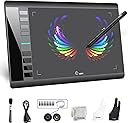
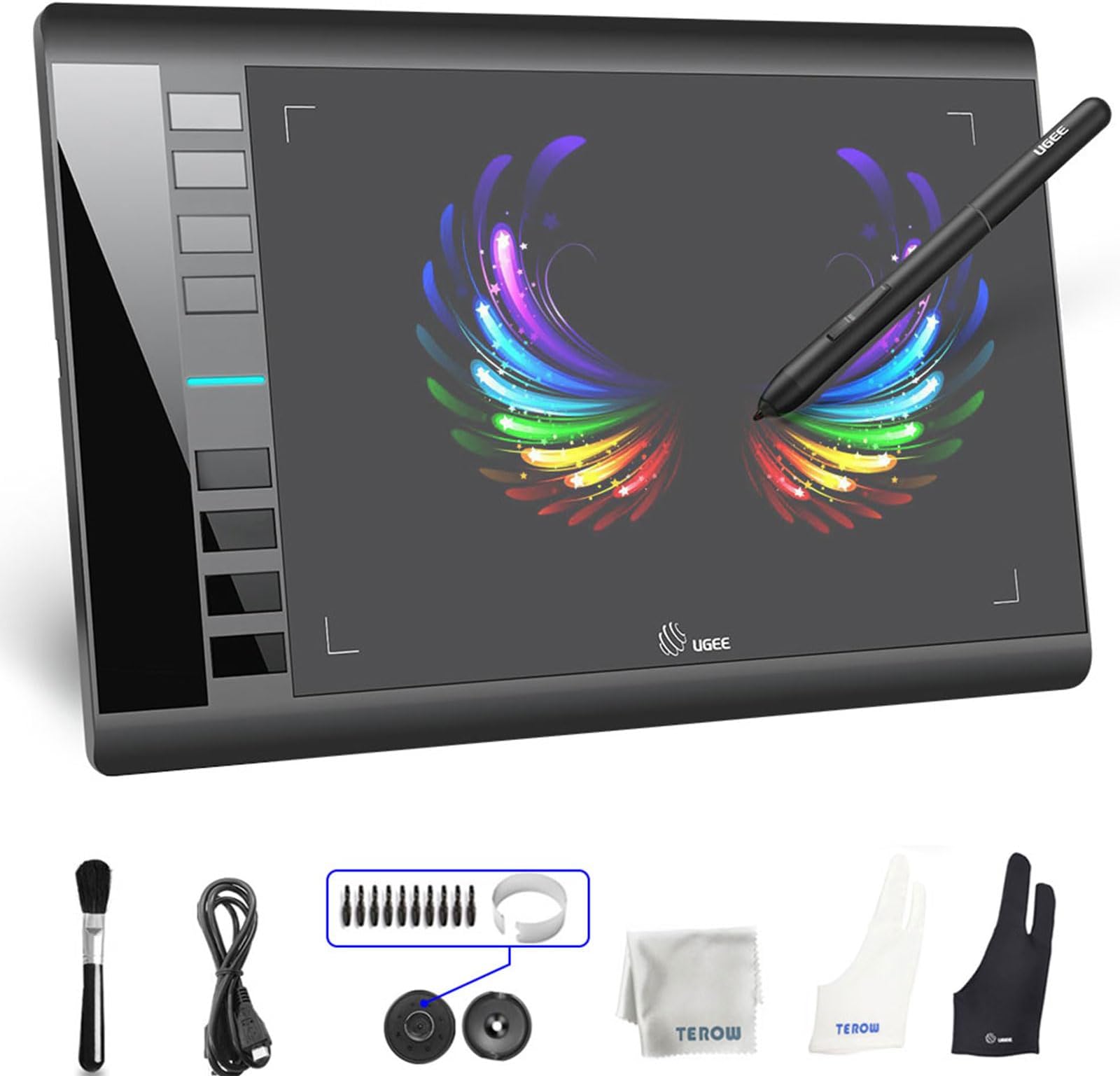
The UGEE M708 is a premium 10x6 inch digital drawing tablet featuring 8192 levels of pen pressure sensitivity and 8 customizable shortcut keys. Designed for professionals and hobbyists alike, it offers a natural paper-like surface with tilt support, ensuring a smooth, lag-free drawing experience. Compatible across major operating systems and creative software, it comes complete with essential accessories and a 12-month warranty, making it a reliable tool for all your digital art and design needs.


| ASIN | B06WLGJDX5 |
| Active Surface Area | 10 x 6 inches |
| Additional Features | 60° Tilt Support, Battery-free pen, Large drawing area, Reliable, proven quality |
| Best Sellers Rank | #137 in Computer Graphics Tablets |
| Brand | UGEE |
| Built-In Media | Glove |
| Color | black |
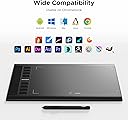
| Compatible Devices | Android, Chrome OS 88 (or later), Linux, Mac OS X 10.10 (or later), Windows 7 (or later) |
| Connectivity Technology | USB |
| Customer Reviews | 4.3 out of 5 stars 3,253 Reviews |
| Display Type | LCD |
| Item Dimensions L x W | 13.9"L x 8.3"W |
| Item Type Name | graphic drawing tablet |
| Item Weight | 1000 g |
| Manufacturer | UGEE |
| Mfr Part Number | M708 |
| Model Name | Ugee M708V3 |
| Model Number | M708 |
| Native Resolution | 5080 |
| Number of Items | 1 |
| Operating System | Linux, MAC OS 10.10 or above, Windows 10, Windows 7, Windows 8 |
| Pressure Sensitivity | 8192 levels |
| Screen Size | 3.6 picometer |
| Special Feature | 60° Tilt Support, Battery-free pen, Large drawing area, Reliable, proven quality |
| Specific Uses For Product | Designing, Drawing, Writing |
| Target Audience | Adult, Artists, Designer, Teacher, Teenagers |
| UPC | 761330750347 |
| Unit Count | 1 Count |
| Warranty Description | 1 YEAR |
E**A
My nephew's favorite gift
I bought it for my nephew who loves drawing and is very technological and it was the best birthday present I recommend it to start
A**R
nice and easy!
i am still getting the hang on this downloading the program was easy, now drawing i have to get the hang of it, but all in all alike it smooth to the handling the pen, you can design, great value for the money, fits anywhere draw shelve. Its reliability is great just working smoothly on the board. handle great.
L**H
Not for beginners, but it's high quality
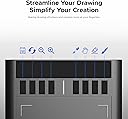
The only thing that makes this slightly hard to use is the installation. It's not plug and go, so you might have to do some configuring to make it work with settings and driver download, so if you're not tech savvy this might be frustrating. Over all, the quality of the product is really good. The screen view is perfect and it acts as a second monitor. If you wanted, you could even watch videos off of this. The best features it has are ones that are commonly found on other tablets, like the buttons on the side you can press to activate certain brushes or features, but the way it's designed on this tablet leaves them in easy reach for you to quickly zoom in and out as you please, and to activate the eraser super quickly. Over all, for the quality you get from this purchase, it's well worth it. You could find similar ones for a much higher price, so this felt like a solid steal.
J**Y
Great, cheap tablet! Highly recommend!
This is the first graphic design tablet I’ve ever had, and I honestly love it! It’s very simple, light, and a nice size, all for a relatively low price. I have yet to figure out how to customize the buttons on the side, but that’s fine! I press down pretty hard when I’m drawing, so I can start to see some wear-down on both the nib for the pen, and the tablet itself. For $50 though, it’s great! The only 2 problems I’ve experienced so far was the set up, and the fact that the tablet’s pen pressure is a bit glitchy and will come and go every once in a while (can be fixed by either resetting the computer or going into the files and loading up the set up/install file until it works. Those are the ways I’ve found). Also, set up was difficult and took hours, but only due to my own error. My laptop doesn’t have a disc player, and the instructions that came with the tablet involving set up weren’t fully compatible with my Windows 10, apparently? Turns out instead of choosing the set up file for Windows 10 off of their website, you have to chose a completely different one? It took a while for me to figure this out, because it seemed like no one else was having this problem. It was my own fault, though, so no star taken off for the product! Overall, 10/10 tablet!
M**A
Excelente precio
Excelente producto
P**D
Good little starter
Picture makes it look like it shows you where you're drawing, but it doesn't, other than that really good drawing tablet for cheap!! It's reliable in the sense of, perfect to draw with and comes with almost everything you need to start your drawing journey!!
V**Z
Lo que hacía falta
Tus hijos la amaran , ayudaran a demostrar lo artista que son
M**A
First drawing tablet
This works great and my son is able to use it with his Chromebook without issue. It comes with everything needed to get started. It was a great price point.
S**T
قيد الاستخدام
1 × قفاز اوجي (أسود) 1 × قفاز فني (أبيض) 1 × قطعة قماش للتنظيف (رمادي) غير موجودة في المنتج
Q**N
Increíble.
Es más grande de lo que pensé. Fue un regalo para mí novio, nos encanta a los dos.
L**Y
Produto de qualidade
Ele é perfeito para desenho,é prático e fácil de usar,tem que ter cuidado e não riscar com muita força,o que é bom porquê não forçamos a mão.Eu indico muito
C**T
A Pretty Good Graphics Tablet for Beginners or People Who Want an Inexpensive Cost
So for me, I had a bit of a learning curve. I had issues with changing the pressure harder, because on the instructions from the company, it doesn't really tell you how to change the pressure. It shows what you need to do to change the pressure, meaning change the line in the pen settings, but it doesn't tell you which way you change it. I hope that makes enough sense about the problem. And as well, I had an issue that the screen cursor was moving, even if I moved the edge of my hand across the tablet, holding the pen about an inch above the tablet surface. There was nothing in the instruction to tell me what to do if you had this problem, so again, I had to search online for answers. But other than that, it works quite well. I had a more expensive graphics tablet for Wacom before, so I know what a more advanced graphics tablet works like. And this one works pretty close to that. A lot of buttons for setting easy things, and the more I use it, the easier it gets. I do recommend it for those on a budget, or anyone who is a beginner, and doesn't have the funds for a more advanced graphics tablet. I'm pretty sure, even if you have a little experience using tablets like these, you'd still like this one for the cost.
S**R
Great Price
For the quality of product and ease of use, this is an AMAZING entry level tablet for any sort of digital art or graphics. The drivers are up to date and available on their website, and other than those it's a plug and play device, even with Win10 Update 1909. The surface is silky smooth with a paper-like texture, and the stylus is just light enough to not tire your hand over time. The 2 gloves are different sizes, so almost everyone is covered, and the stylus stand with the extra nibs is super handy so you always know where your pen is!
Trustpilot
1 month ago
1 month ago