🚀 Power your hustle with always-on connectivity and all-day battery life!
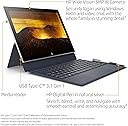
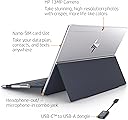
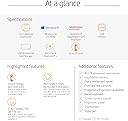
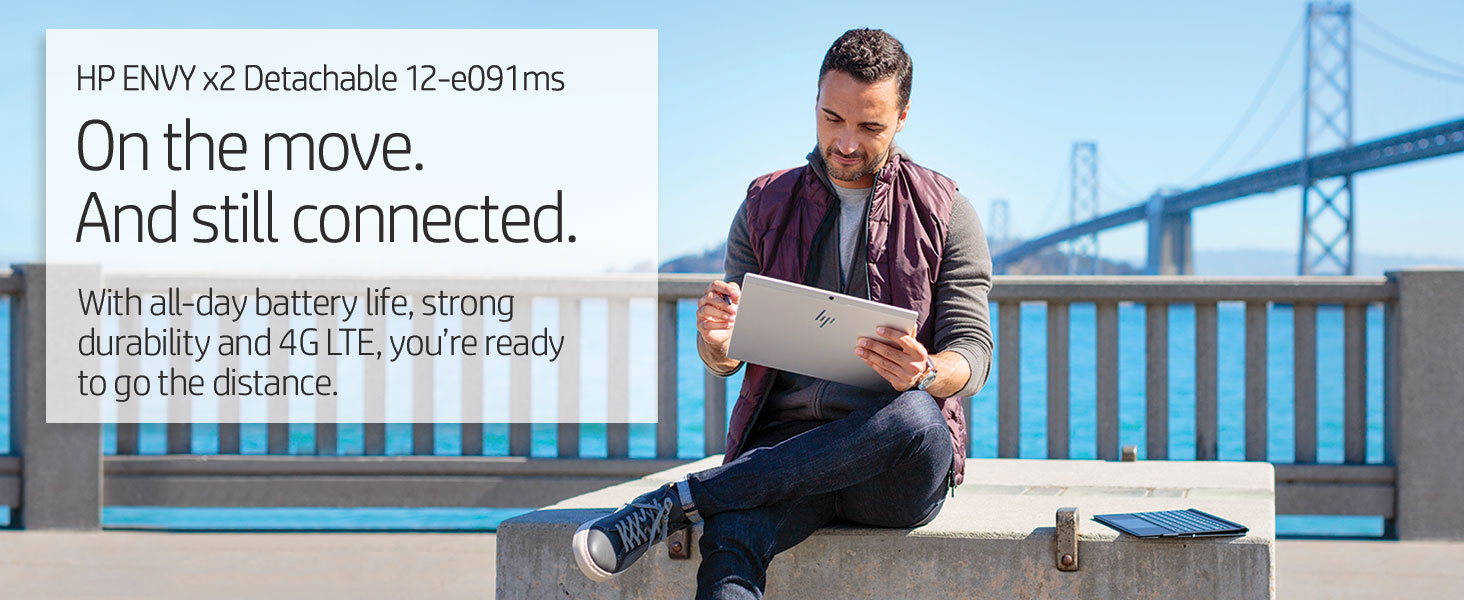
The HP Envy x2 is a 12.3-inch detachable 2-in-1 laptop featuring a Qualcomm Snapdragon 835 processor, 4GB RAM, and 128GB flash storage. It offers built-in 4G LTE for seamless connectivity, an ultra-long battery life of up to 22 hours, and comes with an HP Digital Pen for enhanced productivity. Lightweight and portable, it runs Windows 10 on a vibrant WUXGA+ touchscreen protected by Corning Gorilla Glass, making it an ideal device for mobile professionals who demand reliable performance and connectivity on the move.

| ASIN | B07C7XY7GS |
| Audio Output Type | Speakers |
| Audio Recording | Yes |
| Audio features | Product includes audio features, including speakers. |
| Automatic Backup Software Included | Windows 1 |
| Battery Average Life Standby | 1000 Hours |
| Battery Cell Type | Lithium Ion |
| Battery Life | 22 Hours |
| Best Sellers Rank | #33,288 in Computers & Accessories ( See Top 100 in Computers & Accessories ) #447 in 2 in 1 Laptop Computers |
| Bluetooth support? | Yes |
| Brand | HP |
| Built-In Media | HP ENVY x2 Detachable 12-e091ms |
| CPU Codename | Kryo 280 |
| CPU Model | Snapdragon |
| CPU Model Generation | 2nd Gen |
| CPU Model Number | 835 |
| CPU Model Speed Maximum | 2.6 GHz |
| Camera Description | 5.0 |
| Cellular Technology | 4G |
| Chipset Type | Qualcomm Snapdragon |
| Color | Silver |
| Compatible Devices | Stylus, USB devices, wireless keyboards, mice, external displays, printers, storage devices, webcams, headphones, speakers |
| Connectivity Technology | Wi-Fi |
| Control Method | Touch |
| Customer Reviews | 4.0 out of 5 stars 83 Reviews |
| Display Resolution Maximum | 1920x1280 pixels |
| Display Technology | LED |
| Display Type | LED |
| External Testing Certification | Energy Star |
| Form Factor | Detachable 2-in-1 Laptop |
| Global Trade Identification Number | 00192545067508 |
| Graphics Description | Integrated |
| Graphics Ram Type | DDR5 SDRAM |
| Hard Disk Description | Universal Flash Storage |
| Hard Disk Size | 128 GB |
| Hard-Drive Size | 128 GB |
| Hardware Interface | Bluetooth |
| Human-Interface Input | Touchscreen with Stylus Support |
| Item Dimensions L x W x Thickness | 8.28"L x 11.53"W x 0.27"Th |
| Item Weight | 1 Pounds |
| Keyboard Description | Chiclet |
| Lithium-Battery Energy Content | 49.33 Watt Hours |
| Manufacturer | Hewlett Packard Office |
| Memory Clock Speed | 3733 MHz |
| Memory Slots Available | 1 |
| Memory Speed | 3733 MHz |
| Microphone Form Factor | Handheld microphone |
| Model Name | 3SR51UA#ABA |
| Model Number | 3SR51UA#ABA |
| Model Year | 2018 |
| Native Resolution | 1920 x 1280 |
| Number of Ports | 3 |
| Operating System | Windows 10 |
| Other Special Features of the Product | Touchscreen |
| Power Device | Rechargeable Battery |
| Processor Brand | Qualcomm |
| Processor Count | 1 |
| Processor Series | Snapdragon |
| Processor Speed | 2.2 GHz |
| RAM Memory Installed | 4 GB |
| RAM Memory Technology | LPDDR4x-3733 SDRAM |
| RAM Type | DDR4 SDRAM |
| Ram Memory Maximum Size | 4 GB |
| Rear Facing Camera Photo Sensor Resolution | 5 MP |
| Resolution | 1080p |
| Screen Size | 12.3 Inches |
| Speaker Description | Speakers |
| Specific Uses For Product | Business |
| Total Usb Ports | 3 |
| Touch Screen Type | Capacitive |
| UPC | 192545067508 |
| Unit Count | 2.0 Count |
| Video Output | USB-C |
| Video Processor | Qualcomm |
| Voltage | 3.7 Volts |
| Warranty Type | Limited |
| Webcam Capability | Yes |
| Wireless Compability | 802.11ac |
| Wireless Technology | Wi-Fi |
J**N
A great travel companion for getting WORK done
This is a fantastic device for specific purposes. In my case, I wanted a device that would let me quickly catch up on email and other work (all in Microsoft Office or a web browser) without worrying about connectivity, battery life, or the device starting up. This machine is certainly not a speed demon, but it is plenty peppy on Office apps. I don’t intend to switch it from Windows 10 S Mode to Windows 10 Pro, as that would probably make me want to push its limits with software that’s not optimized to run on Windows on Snapdragon. The battery life is truly amazing. I can use it all day and it barely drains down. And having a cellular connection is such an amazing luxury. 5 minutes waiting to pick up a kid can turn into productive time. Finally, just like your cell phone, it is always on. It’s not in sleep or hibernate like Intel devices; it’s just ON.
N**O
Great and lightweight
After much debate, I took the plunge and bought a Always Connected PC. So far, it's been excellent, no lag at all if you stick to the native apps. The one x86 application I did try out was Chrome. It took a bit longer to launch than usual but was stable. Performance wise it can keep up with the iPad and Android tablets IF you stay with the native apps it has. Battery life is awesome, I obtained two days of battery using this device to type essays, browse the web, check email, and watch Twitch Always on for 4 or 5 hours each day (7-8 hours screen on time per day for 14 hours total). That's extremely good against my XPS 15, which does the same for one entire day (Screen on time around 7-8 hours) before running out of juice. Extremely happy and will recommend to students and workers who are moving around a lot but don't need a lot of power
D**N
Great Potential, Terrible Execution
Just got HP Envy X2 yesterday and completed initial setup. Updates started while still in Windows S mode. Windows 10 1803 gave me the Desktop location unavailable error message and I was not able to use Windows or even Reset PC. Fortunately, I already had a USB-C to USB-A adapter and was able to download HP Recovery Software after spending 45 min or so on phone with tech support. They sent me an email link to download and had to use a non-Sandisk USB. Finally got back to factory default, switched to Windows 10 Pro and Envy would not update. It didn't do the same as yesterday, just failed to update. Ended up downloading the Windows 10 Update Assistant and updated directly. Appears to be doing fine now. As far as the device, it seems great. Screen is bright and sharp, speakers are quite good, pen works great, keyboard and trackpad have nice tactile response and the pen is very smooth. I will update more, including battery life, after a bit of use. UPDATE: Another Windows Update, another crash. Windows for Snapdragon is not ready for primetime. Besides the multiple incompatible apps and inability to install VPN software needed for work, this thing keeps failing on almost any Windows update. Then I would have to restore back to factory image and go from there, no thanks. It's going back to Amazon today. I am not going to stake my future on Windows with a Snapdragon processor until they put significant improvement to get it up to basic functionality. Too bad, great potential but terrible execution.
M**D
Works very well, I love it
I was skeptical at first about this device, but it is working great so far. I left it on Windows 10S and the battery life has been amazing. This can go several days of moderate usage without charging. It probably does get around 20 hours of battery life, although I noticed the battery drained faster in an area with bad cell reception. I have the Sprint data plan, which is working great. The keyboard stand works very well, better than I was expecting. The keyboard itself is very thin & flexible and I'm a little concerned about how well it will hold up in the long run. The unit changes from computer to tablet mode automatically when you fold the keyboard back or disconnect the keyboard. This has worked flawlessly so far. The unit also powers up instantly like a cell phone. The unit uses almost all of the 4 gb of ram with only a few browser tabs open, but I haven't noticed any lag at all. My guess is Windows swaps apps in and out of memory as necessary to keep things running smoothly, like a cell phone would. The tablet itself is very solid. The speakers are front facing which is a huge plus and sound very good. There can be a bit of vibration, especially in the right speaker from high pitched Windows sounds, but I haven't noticed it really when just watching videos. I would say so far this is great and works much better than I expected it to. One drawback for Windows 10S is about the only option for office software is Microsoft Office. I typically use Apache Open Office 4, which is free, but it would only work on this device if you abandon Windows 10S and install Windows Pro (which is a free upgrade built into the operating system). It has a high resolution front facing camera with facial recognition which is a bit finicky at first, but works better the more times you train it to recognize your face. The keyboard is backlit. The IPS display seems very good and the touchscreen works very well. I haven't tried using the pen yet. I bought the following Moku sleeve for this laptop and it fits perfectly, I would highly recommend it. Buy the sleeve for the 12.9 inch iPad Pro. https://smile.amazon.com/gp/product/B013FMSR7W/ref=oh_aui_detailpage_o01_s00?ie=UTF8&psc=1
S**E
GREAT Device if you know what it is...
This is a great device if you know what it is designed for. First think of this as an advanced tablet and not a laptop. The idea is that this competes with something like an iPad Pro. This is not a competitor to a Surface Pro or a Surface Book 2, both of which I own. This device is for those who need extreme portability and battery life, and need to be online at all times. The battery life is amazing. I used it from 7am to 4 Pm and still had over 50% life left and this was on Cellular. The performance is fine for MS Office Suite and web work. I don't do photoshop on it, or edit videos. But for all the tools you will need in a client meeting, its excellent. I run between this and my desktop, and my laptop. Its great being always connected. I can grab it and run out and its always fully updated with my latest emails and files synced through One Drive. Do not get this device as a replacement for your high powered notebook or desktop. This is a professional tablet replacement for getting work done on the go when you need the most portable footprint. One thing the reviewers mention is the poor performance in Google Chrome, and that is true. I use Edge and it works great for me, I am heavy into the Microsoft ecosystem (office, one drive, skype, etc), and its clear those applications run better than Chrome.
T**S
Wow...better than my HP Spectre Folio in many ways
This is a versatile light computer. What I like the best is that battery last for at least 19 hours consistently and I typically only charge it every 2-3 days. I have been using it everyday for over a month and have been very impressed with battery and inking capability. I have a business where we now use these devices for all of our photos, document signing and distribution to customers. Our employees also all have Skype phone numbers ($30/yr) and mobile SIM card through MintMobile for $300/yr so they can make and receive phone calls from customers with Skype and do work with this little miracle for about $1000 per employee per year! The keyboard is a excellent in any position but the touchpad click functionality may not work as well when on your lap if it is not on a sturdy surface at the bottom where it sits. So I use the touch gestures more often when not on solid surface. As the manager of my business I purchase "a high end computer" (HP Spectre Folio - Windows 10 Home) but find myself using this HP Envy x2 more often mostly because I never need to charge it during the workday (the Folio has be charge ever 6-7 hours if I don't want to risk it running out before the end of the day). But the other reasons I use the HP Envy x2 is because it can do everything I need using Windows 10 S Mode besides ScanSnap Scanner software, Chrome, TurboTax, and anything else that needs to be installed through emulation). I have been afraid to cover from Windows 10 S to Windows 10 Home because I heard that you cannot cover back to S-mode if its too slow. So if Microsoft can get ARM processor to run other software without converting out of S Mode or under emulation (Home)...it would be perfect! The best part is that you can use some Surface Pro covers from Amazon with this unit to protect it. Best Windows 10 on ARM PC hands-down.
J**E
Battery life is amazing, the other stuff - not so much.
Unboxing. Premium feel. Much more than I would have thought from a fairly simple laptop. Everything was wrapped in clear plastic. Setup Very fast setup. The screen were very quick. Only about 1 second or less between screens. You can usually tell the speed of the computer by how it goes this information. Feel of Keyboard as Laptop. The feel was very normal to a laptop. In contrast to a keyboard on a iPad where the iPad is very heavy and makes the keyboard wobble and want to fall down in on itself. The Envy x2 stayed very secure on my laptop and didn’t feel like toppling over whatsoever. The keyboard felt as normal as a desktop keyboard without the numeric keys, but it felt quite nice. Typing seemed flawless. There was a flex feel to it, but that is to be expected with a keyboard that you can fold up. I didn’t have any issues with it. Surprised at how strong the magnet was connecting the keyboard and the display. It it really stuck together and it shouldn’t be a problem coming off. Nice work. The unit felt solid on my lap, unlike what I mentioned about where you have a top-heavy iPad on a small keyboard. I could work for hours with it on my lap. Felt very nice. Updates After I worked with it for 15 minutes, then converted to Windows 10 Pro, which only took like 1 minute, then I restarted the computer because I wanted to connect with my work domain. This showed doing “Windows updates” for at least 30 minutes. We’ve all come to expect getting updates, but taking this long seemed quite excessive. Still not a big issue since I could work on other things while this was running. Performance Slowness on Edge with Gmail and Google Drive. Memory. Not sure why HP and the other Windows on ARM makers can’t put in another 2GB or even better 4GB of RAM. Wouldn’t think that would raise the price significantly, and I for one would pay the extra $50-$100 to have at least 8GB total RAM in this system. It didn’t seem too bad when you have several things open, but definitely is not a laptop / tablet that you want to do all your work at the same time. After working with for several days, you actually get used to the “slower” performance. You need to remember what this device is actually the best at doing, and that is browser tasks. The Edge browser does a decent job on getting you on the web, and the 4G LTE connection is awesome when you are out and about. Octane 2.0 scores. Not really all that great for a laptop priced at $700-$800. Octane 10,000. Octane 16,000 on Toshiba Chromebook 2 from several years ago. Dell i7 computer 32,000. The Octane scores on Edge not so great for a laptop priced at this amount. Apps Edge browser for Gmail. Not my favorite, but Edge do a good job of not making it too slow. I was able to open up multiple sessions under different Gmail accounts under the same browser, which seemed to work good. There is a little lag when you first open up the unit, but worked very well over time. Google Drive. Workable on Edge. Still somewhat slower than Chrome on Windows or the Mac. Chrome kept crashing. So stopped using it. Kindle. 32-bit emulation. Runs sluggish, but it does work. Not as fast as the Android or the iOS app, but acceptable. Love the big 12-inch tablet for viewing. Can keep the Kindle book open while taking notes in something like Google Docs. Much better typing experience than the iPad, but the iPad in my opinion is better for just reading. Kindle browser-based. Works much better running under Edge browser, and you have the ability to offline the books. It is faster on page turn and highlighting of text. Go figure! The Edge browser works better than the Windows 32-bit application. Funny. Going to be using the Kindle on the Edge browser since it is faster and works better on all the other stuff -- even offline. LogMeIn (remote control) from Edge Browser. It worked. It seemed a little sluggish in loading for the first time, but definitely was able to get access to my work computer. When on my work computer, things operated pretty much as normal. It is great to have a mouse and the ability to tap with my finger. In desktop mode, it is much better having a mouse / trackpad there to assist. LogMeIn doesn’t really work on the Chromebook or that would be my “go to” device. Parallels Client. Ran great from the full client but also the HTML5 client. Was able to access my applications just fine. Did see somewhat sluggishness when accessing the applications, but on a device that will last 2-3 days on battery, that is totally fine. You have to make concessions in my opinion. Battery The multi-day battery is the truth. I used it for 2.5 days consistently for several hours a day and still have 44% battery life. So cool. I know that people are really focusing on the performance with these units, which is not up to par on many things out there, but nothing can touch the battery life of these things. Not even close. Tablet-mode It felt bulky and big, and I am no small man, standing 6 foot 5 inches tall. I have big hands, and this felt large and somewhat bulky at first. Waiting on using it more in the future. I would imagine it would be way too big for someone smaller than myself. But being able to read a Full-page document without all the pinch and zoom that you have to do on a phone and even on an iPad. This was nice. Windows Hello (Face Recognition) Did the “Windows Hello” first, then joined to my work domain. Then the “Windows Hello” face recognition didn’t work. The power of this device is supposed to be the quick on and off. Go in, do some work. Shut it down. Then go in and do some more work. Repeat process multiple times throughout the day. Always having to put in my domain password was “totally” cumbersome. I didn’t even have the PIN based login available when joined to the domain. I reset the unit back to the defaults, and started working with the Windows Hello mode. I like it much, much better, although I can’t easily access network resources at the office. I consider this a better model since I don’t see myself doing most of my work with this unit in the office. This is designed to be a “road warrior” machine. Excellent to Amazing. - 4G LTE excellent. - Battery life. Amazing. - 2 in 1 convertible. Not so amazing. - Cost - Windows 10 on ARM. Microsoft or Qualcomm has more work to do. - 4GB of RAM. Come on guys. Some phones have more RAM than 4GB.
R**E
All the features of a standard windows computer, with the functionality of a tablet
This operates very well as both a laptop and tablet and the transition between the two is very easy. I use the computer for basic computing such as internet browsing, watching videos, document viewing, and studying. I haven't had any issues with lack of computing power. The battery life seems to sometimes last an entire depending on how I use it. Even with watching lots of videos and heavy use, the battery life is not in question towards the end of the day. The keyboard and pen both operates very well. Overall, this product in my opinion is a better alternative to an entry level Windows Surface option with comparable computing power or an iPad pro due to the tablet characteristics with the convenience of a full windows operating system.
O**S
Excelente diseño, problemas con Windows 10 S, muy limitado
La tableta presentó errores al intentar actualizar el sistema operativo a Windows 10 pro, la version S no permite instalar aplicaciones afuera de la microsoft store lo cual limita en gran medida el desempeño y posibilidades de la tableta. Tiene un muy buen diseño, sin embargo, tuve que regresarla ya que se colapso en la actualización y no pude resolverla.
Trustpilot
3 weeks ago
2 weeks ago