Buy anything from 5,000+ international stores. One checkout price. No surprise fees. Join 2M+ shoppers on Desertcart.
Desertcart purchases this item on your behalf and handles shipping, customs, and support to Macau.
🎯 Elevate your productivity and play with LG’s 27” 4K HDR powerhouse — clarity that commands attention!
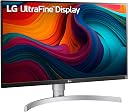
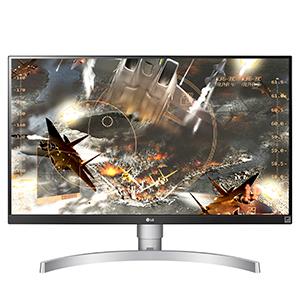
The LG 27UK650-W is a 27-inch 4K UHD IPS monitor featuring HDR10 support and 99% sRGB color gamut for vibrant, accurate visuals. Equipped with AMD FreeSync technology and a virtually borderless design, it offers smooth performance and a sleek look ideal for professionals and gamers alike. Connectivity includes dual HDMI 2.0 ports and VESA mount compatibility, making it a versatile centerpiece for any modern workspace or gaming setup.


| ASIN | B078GRM2MV |
| Adaptive Sync | FreeSync |
| Additional Features | Anti Glare Screen, Height Adjustment, High Dynamic Range, Pivot Adjustment, Tilt Adjustment |
| Aspect Ratio | 16:9 |
| Best Sellers Rank | #219,892 in Electronics ( See Top 100 in Electronics ) #4,642 in Computer Monitors |
| Brand | LG |
| Brightness | 350 |
| Built-In Media | base, cd, display port, hdmi cable, monitor, power cord |
| Color | White/Silver |
| Color Gamut | 99 |
| Compatible Devices | Devices with HDCP 2.2, HDR10, and/or AMD FreeSync technology |
| Connectivity Technology | Headphone Out DisplayPort HDMI |
| Contrast Ratio | 1000:1 |
| Customer Reviews | 4.6 out of 5 stars 1,303 Reviews |
| Display Resolution Maximum | 3840 x 2160 |
| Display Technology | LED |
| Display Type | LCD |
| Global Trade Identification Number | 00719192617452, 08806098196265 |
| Hardware Connectivity | HDMI |
| Has Color Screen | Yes |
| Image Contrast Ratio | 1000:1 |
| Is Electric | Yes |
| Item Dimensions D x W x H | 9.1"D x 24.1"W x 22.3"H |
| Item Type Name | LG 27UK650-W 27-Inch 4K UHD IPS Monitor with FreeSync (2018) |
| Item Weight | 6.2 Kilograms |
| Manufacturer | LG Electronics |
| Model Name | LG27UK650W |
| Model Number | 27UK650 |
| Mounting Type | VESA Compatibility - Mountable: 100 x 100 mm |
| Native Resolution | 3840x2160 |
| Number of Component Outputs | 3 |
| Picture Quality Enhancement Technology | HDR 10 |
| Pixel Pitch | 0.1554 |
| Power Consumption | 0.5 Watts |
| Refresh Rate | 60 Hz |
| Resolution | 4K UHD 2160p |
| Response Time | 5 Milliseconds |
| Screen Finish | Matte |
| Screen Size | 27 Inches |
| Screen Surface Description | Matte |
| Shape | Rectangular |
| Specific Uses For Product | personal, gaming, business |
| Total Number of HDMI Ports | 2 |
| UPC | 719192617452 |
| Unit Count | 1.0 Count |
| Viewing Angle | 178 Degrees |
| Warranty Description | Limited 1 year - parts and labor |
| Warranty Type | 1 Year Manufacturer Warranty |
R**F
HDR Effect Mode is Amazing!
I've been using this monitor a lot now with my Xbox One X, and it really is amazing! I've tried other 4K monitors, like the Samsung U32H750, and the LG just blows it out of the water with crisp 4K, brilliant colors, and impressive contrast - and of course - HDR, which makes everything look noticeably better! I have a lot to say about this monitor and the best settings I've found to be useful with Xbox One X games and media. To start, here are the settings I tend to use for non-HDR content, which are games w/o HDR and YouTube: Picture Mode: HDR Effect Brightness 85 Black Level - Low Deep Color On Freesync - On Extended Resp. Time - Fast All other settings are defaulted. On Xbox One X, Settings are as follows: Color Depth - 10bit Color Space - Standard (must be set to this due to HDR, trust me) HDMI - auto detect Allow YCC 4:2:2 - On With these settings, you will get a great picture when it comes to non-HDR content. Now, there is something very important to consider: make sure you have the monitor's HDMI Black Level set to Low because it needs to match with Xbox Standard Color Space. So make sure you have it set to Low Black Level. I'm pretty sure if it's set to High and you can't change it to Low, fiddle around with it like change settings on Xbox, then monitor, and eventually it will go to Low Black Level. The monitor's contrast ratio may be 1000:1, but lemme tell ya, it's very very impressive, especially compared to another 4k monitor I tried which had 3000:1. I thought the LG looked 10 times better! One of the reasons I got this monitor was for the HDR, and for those who think it isn't good because it isn't "true HDR 1000nit brightness", it looks amazing, and most games look really good (MH World looks awful). Elder Scrolls Online looks really amazing with colors (make sure to turn brightness in-game way up), I mean just go to Coldharbour and you'll see :). Some games don't have great HDR though, so it's sometimes best to turn HDR off in Xbox Settings and go with Custom settings on monitor. The monitor has 4 HDR modes: HDR Vivid, HDR Game, HDR Standard, HDR Cinema. For gaming, HDR Game is the best and most accurate for colors, response time, etc. but if you don't care about accuracy and how you are losing life expenctancy of your monitor due to post processing, HDR Vivid can be spectacular with fantastic colors. HDR Standard and Cinema just looks too dim for me, so I always stick with Game. Now this monitor uses an IPS Panel, and it's probably the reason why the contrast, brightness and colors are SO GOOD. There is some IPS Glow, and it's luck-of-the-draw whether you'll have a monitor with a lot of IPS Glow, or just a little. I've been through 4 of these LG Monitors past 2 months, and finally settled on the one I have now because I got it really cheap and my previous one's display sadly wouldn't turn on so I returned it. The one I have now has minimal IPS Glow, thank god, but just expect to see IPS Glow because it's on every IPS monitor. This monitor does use an external powerbrick unfortunately, but I mean, does it really matter? I have room for it, but the only thing I worry is when it gets really hot as my monitor is usually on for 10 hours a day. The only thing I have to complain with about this monitor is not being able to customize much settings when HDR content is detected or when using HDR Effect Mode.. This isn't a big deal though because most of the settings that are defaulted are actually what you want it set to. If you care about your monitor lasting for a long time, avoid using HDR Vivid (and HDR Effect mode) because they heavily rely on post-processing to create the amazing colors, contrast, brightness, but they are bad for your monitor's life-expectancy. I still use HDR Effect Mode all the time because it's too good... I give it a 4.8/5, must buy if you are in need of a 4k/HDR monitor for console and can get this monitor cheap like $385-490 or so. I got it for $435 and it's a steal for what you are getting! 500 is too expensive, but that's only my opinion lol. ^_^
E**R
4k + HDR + Decent price = Great Xbox Screen.
Who am I? A techy, with disposable income for new toys within reason. What am I using this monitor for? Xbox One X. I have NOT used this monitor with a computer yet...yet. Okay so I waited since like December for this thing, after looking at and comparing countless monitors. Finally an "HDR" Freesync Monitor, with good response time and 4K.... Every Xbox gamers dream right? I fired this thing up yesterday and boom.... underwhelmed..... it looked bad out of the box, then i played with all the settings. Turn the Brightness WAY up, and leave the black enhancement at low. And all of a sudden everything looked amazing. Day 1: Playing fortnite doesnt have HDR, so I loaded up destiny 2 (ew) for to see how to activate HDR, since i couldnt find any settings to just turn it on. Boom, on top right corner it displays HDR, and when you go into the settings its an entirely different picture menu, with a few different HDR settings, including a GAME HDR mode. I do not think you can have HDR on, and the input lag booster or freesync enabled at same time, as When HDR is on, the game settings menu gets grayed out. The game looked INSANE in 4k with the HDR mode on, so crisp and saw colors I had never seen before. For what its worth, the HDR mode that enables when you play an HDR game is PLENTY bright. It only goes up to 450 Nits of brightness in this mode, but for a 27 inch monitor, that is right in front of you, any brighter and you may have to look away or tone it down for gaming. So for all the people mentioning that this "is not a real HDR monitor, its not even 600 nits" Think about what you are using this screen for first. If it is gaming, this is very good. The HDR on this screen is far brighter than a middle range LG TV I have that has "HDR" as well. PSA: Both HDMI ports support 4K/60HZ and Freesync. For NON HDR Games, There is a cool mode called "HDR Effect" which bascally turns any content into super bright super vivid colors, and that seems to work with the gaming features since it is not actual HDR. I will continue to update this review, as well as try different modes (Ex: Hook it up to a iMac 5k, a Macbook, a PC, and watch a 4k HDR blue ray on it over the next 2 weeks.
M**U
Very solid monitor for the price and functionality. Slight IPS glow.
I've been using the monitor for a few days now, and I think I've formed a solid conclusion. For a bit of context, I work from home and use the monitor with a macbook pro...but the primary reason I bought it was for my xbox one x. Construction: Some people say it feels cheap, I love the construction of the screen. Bezel is a little bit wider than I thought, but overall the profile is great, the monitor is lightweight and thin and sits comfortable on my vesa mount. Image Quality: At first I was a little underwhelmed by the image. It definitely needs to be adjusted out of the box. I've tweaked settings a fair amount, and it's definitely starting to impress me. As somebody else said, I would say the color quality is about 80% that of my macbook pro... which is pretty good (most monitors don't end up looking anywhere near as as good as mac displays, but that's just, like, my opinion.) I've tweaked the settings a fair amount, and now I have settings that I like with the xbox one x, as well as the macbook pro. It's nice because I can switch the input it and it automatically recalls the settings I have. I've found that having the brightness all the way up for Xbox and HDR is great, but when I'm doing work it's too much so I set it at about 70%. I know that true HDR requires 1000 nits, but I honestly feel like anything brighter than this display would be bad for your vision. I probably sit about 2' away from it. - HDR enabled games look great, as does netflix. - Non-HDR enabled games look great as well. (I was especially impressed with the level of detail in overwatch.) There is a little bit of IPS glow in the corners of the panel when the screen is dark, which is to be expected, but still a little disappointing. For the price, this is a fantastic display, but the slight IPS glow is why I'm giving it 4 stars instead of 5. Another thing to note, I was worried that 4k on a monitor this size would be overkill for gaming...It isn't. I'm glad I opted to go for a 27" monitor instead of a 32" 4k monitor as the pixel density is great, and I think it would look less sharp at 32" based on how far away from the monitor I sit while I play games.
T**Y
From the perspective of a technology manager, not a gamer.
I am a CTO who has connected this to a 2018 Mac Mini and use it for both work and personal activities. I also have a mid 2015 MacBookPro which I love for the clarity of its retina display. I run the latest and greatest version of OSX (currently Mojave) on both of these machines. Prior to this purchase, I had the mini hooked up to a 23" 1900 x 1200 Apple Cinema Display circa 2002 (that is not a typo). It was surprisingly good but always made me wish I was looking at retina-quality output. I'm taking the trouble to write this review because I found other people's reviews helpful in my decision to purchase this monitor (LG 27UK650-W 27). I've had it for 2 full work weeks, am extremely happy with it, and have avoided a lot of mistakes by reading other people's reviews. I'm paying it forward. Advice: 1) use a DP cable not the HDMI cable; I used this and it worked immediately with no hassle: CHOETECH USB C to DisplayPort Cable 4K@60Hz, USB 3.1 Type C to DisplayPort Cable 2) be careful not to touch the front of the panel when unpacking it, moving it, adjusting its height or rotating the display; always do this from the top/bottom or the sides; it's not hard to do this - just be mindful 3) know that the display does not have speakers, just a stereo out jack 4) download the Onscreen Control app from LG's website; makes it easy to do the adjustments you will make most frequently 5) spend a little bit of time learning to use the joystick located underneath the bottom frame so that you can use the built-in Onscreen Control Center. This lets you do more advanced adjustments. 6) if you are using VMware Fusion (I run Windows 10 for certain things) you will need to go to the Virtual Machine => Settings => Display panel and deselect "Accelerate 3D Graphics" if you want to go full-screen with it. Otherwise it will be unusable. But you *can* can select "Accelerate 3D Graphics" and use Single Window mode. *** Subsequent correction: if you like you can leave "Accelerate 3D Graphics" selected and increase the amount of Shared Graphics Memory to the recommended amount (for me 1024MB). 7) familiarize yourself with how to use MacOS's Spaces (multiple desktops); you won't want to maximize your apps to full-screen; they're just too big. But you still may want to place apps in different desktops. After connecting the DP to USB C adapter, turning on the monitor and powering up the Mac mini, it just worked. I knew I was in a good place when I entered System Preferences => Display and saw the same scaling choices as I see on my MBP. See the first image. The default resolution was too big for me (1920 x 1080 @ 60 Hz). The second image shows my current choice (2560 x 1440 @ 60 Hz). Obviously screen resolution is a matter of personal taste; I find this to be the right trade-off between font size and screen real-estate. The text as I type this has the same clarity as my retina display but on a big monitor. I suppose I might decide to shrink the font smaller (3008 x 1692 @ 60 Hz) to get more real-estate. The point is that I have the choice - either one looks great. Other Observations: * Night shift works. * Screen saver / sleep mode works. * You will be surprised by how far away the menu bar at the top of the screen is from many of the apps * As near as I can tell, the display has no dead pixels. Or maybe they're so tiny that I just can't see them. * I don't see the IPS bleed that some people complain about. Both my Windows and my Mac backgrounds are black and I don't perceive bleed. (See two images). * The stand feels sturdy to me. I am not a gamer. I work with text and numbers all day long and my apps look great. Although I am not a graphic designer, I spend a lot of time on images and graphs and they look great to my eyes. I can't comment about the calibration of the display but the colors look good to me. After 2 weeks of extensive use I'm a happy camper. Fingers crossed that the monitor's reliability is as great as its looks. I hope this helps. Just an update: after 6 weeks of using this monitor my view hasn't changed: I continue to love it. Another update: 6 months in and no change to my review. Not a moment's problem with the hardware.
E**Z
Exceeding my expectations and well worth the money.
This Monitor Exceeded my expectations (Reviewer that does extensive research on Displays and Displays technology). I was torn between this model and the 850-w model. The only difference is speakers (which this does not have), USB-C (not included), and a special calibration done to the 850-w. I am pleased with the build quality, screen resolution also exceeds my expectations. Their is IPS bleed when you have those black screen visiuals. The IPS bleed does not bother me what so ever. Most of my games I play on this bad boy are very bright which it does an amazing job at displaying bright colors and HDR content. ( Yes I do realize this is an 8 bit + FRC panel and the nit brightness does not exceed 350) this monitor is still extremely bright and when compared to a 10 bit panel that does exceed 400 nits brightness their is little to no difference to the naked eye (1000 nits would be much much brigher obviously). Also to add their are currently no monitors that can push past 4k at over 60HZ. Those 2000 dollar monitors by Asus and Acer will lower the resolution automaticly to meet the bandwith capability of the HDMI 2.0 specifications. So aside from G sync you are throwing some money away for a perk that can not be utilized. No firmware update can fix that in the future as this is a hardware issue and not a software issue. Soon as they release HDMI 2.1 on monitors the Asus ROG Swift PG27UQ and Acer Predator X27 will be obsolete which will be soon since HDMI 2.1 specifications have already been released. Those two monitors mentioned are still amazing but not worth the money and very misleading.
J**N
For me a 4.5 rating coming from a samsung 4k read description why
Okay ima try and keep this short read The good: great moniter that i am using structly for console xbox one X I technically upgraded to this crom a samsung 250$ monitor the eu590 4k 28” monitor it best it in everything but color and brightness yes you can turn the contrast higher but your eyes hurt after hours of playing it best this monitor cuz it gets all the check marks on xbox1x and FreeSync works! The bad: i had to play around with settings alot alot to get it down perfect for me the fps1 setting is a short fix but needs more adjustments, the colors i feel are dull compared to the samsung monitor and the brightness is lacking to yes I understand its a gaming moniter you are right there in front of it but still vs the Samsung which i had for ever 6 months this things is lacking brightness and color in my view not a game breaker but thats my only gripe about it The awesome: If you play alot of games that support 4k UHD at 60hz it will blow your mind like destiny (meh game but good example) i feel this moniter is not a true UHD tv since its lacking brightness but still in that aspect it blows the samsung out of the water ..... again after tinkering with the settings for like 20-30 minutes I have not watched a 4k movie yet but i really want to soon Hopes: we are still in the early stages for any moniter to display the full capabilities of the Xbox1X we gotta give them time for someone to produce an amazing moniter but as for the 2 moniters i have used this one is so far really good i play competitive overwatch so the FreeSync helps as far as response time i think this moniter is slower but vs the samsung moniter my game play has not suffered at all For the PC guys sorry im a console guy but do listen to me its not too too bright and coloring is lacking vs that samsung eu590 moniter i used before hand
R**.
Samsung or LG?
I ordered this and another monitor (Samsung 28” qled) for use with my PS4 Pro with the intention of sending the monitor I didn’t like back after a few tests. This is what I observed: 1. The LG has waaaay more customization at any time during gameplay. Meaning I am easily able to change the game mode on this monitor and “tune” it much more specifically than the Samsung. 2. The Samsung monitor was BRIGHTER, although at times it seemed almost too saturated with color. That being said I do feel like if you’re going for a more realistic picture with truer colors get the LG. If you want the color to POP out of the screen go for the qled. 3. Gaming between 1 ms and 5 ms is indistinguishable to me. I could not see a difference (and believe me I tried). Conclusion: For console gaming I would say this monitor is nearly impossible to beat. The HDR setting bumps up the image almost to the brightness of a Samsung qled screen. Overall the LG impressed me more with its stand and ease of use (plus it rotates). If you want to wow your friends with bright, over saturated colors get a Samsung. If you want a “true to life” image that looks crisp, clean and that you can have much more control over get THIS MONITOR! I did and sent the Qled back.
H**L
Wonderful Monitor. Excellent value!
After all the reviews (duh), I couldn’t be happier with the monitor. Crystal clear, almost as good as MacBook Retina display. Use of the DP cord helped (per the CTO guy review), and set up was a breeze. The cursor for using the onscreen menu was incredibly easy to use, great interface for the settings. Picture brightness was also great, only had to move it up to 85 setting. Excel spreadsheets are easy on the eyes and very crisp. 27” allows just enough room for many apps. The ergonomics are great also. Easy to move up and down, side to side. I HIGHLY recommend this product.
G**G
Es lo que esperaba del producto y del envío
Excelente monitor muy buena calidad y apariencia a pesar de ser de plástico se siente premium. Super bueno es lo que esperaba. Llego súper rápido antes de lo esperado y de lo que marcaba muy bien
N**S
Best Value for Money monitor for PS4 Pro and Xbox One X/S
As someone jumping from a 1080p 24 inch monitor to this one, the leap is bigger than I thought. The monitor looks sick. The bezels are super thin. HDR might not be "proper HDR" because of brightness limitations but it does make the colors pop. Works seamlessly with my PS4 Pro and Xbox One S. I am replaying many of my old games like Horizon Zero Dawn and they have never looked better. I also have my MacBook connected via the DisplayPort and it also makes for a solid desktop monitor. For the price, I couldn't ask for more and never going back.
J**I
Very good monitor among existing brands at this price point
Iam quite happy with the performance of the monitor. LG 27UK650 4k IPS. I had bought a benq 32" 4k VA monitor at 39k, but returned it due to poor performance. There was also a grey display bleed on it. The colour reproduction on it was not accurate, especially red. It was also too big for my eyes and got strain after using it. Remember that Pixel density matters and viewing distance. Decide for yourself on that. LG monitor with IPS panel is much better. Iam using it with macbookpro 15" and didn't go for LG 27UK850 (43k price) as the only benefit in that is a usb-c port (and additional usb 3.0 ports often unused) with reverse charging. But if you use a single usb-c to HDMI port (good quality with 60hz at 3k price) it also works in the same way but no charging happens. And it is always good to use the original company charger for laptop for longer battery life than using low 60watts of reverse power in the case of LGUK850. Hence LGUK650 (33k price) was apt for me as I use an additional 2.1 speakers (better than ibuilt speakers), taking audio out from the monitor. The menu and the joystick is very intuitive and also easy for volume control. I also noted that audio switching in usb-c to usb-c sometimes doesn't work automatically (in benq) in utube. Colour reproduction in this LGUK650 is superb and is at par with my macbookpro. Good contrast ratio. Sleek design and white back makes it even stunning especially for my led light bounced on the wall. Stand is also sturdy as I use a height adjustable table. I haven't figured out how to run the mac in clamshell mode without connecting power cable to laptop. Probably it doesn't work. Go for LGUK850 only if you really need usb-c at that price point.
A**Y
Al 100
Lo mejor para Xbox X La verdad conviene un montón su calidad llega al 100 y sin problemas para configurarla con la Xbox X, es mejor de lo que esperaba, llego al tiempo acordado y excelente producto
A**.
Good Performance for a reasonable price
Let me start by saying this first: This is a good SDR monitor which is decent for HDR usage - It is not great. I not going to waste time one reviewing the trivial stuff such as ergonomics and style - you can get that from anywhere on the web. I am going to focus on performance and colour reproduction SDR performance ---------------- This monitor has a really good SDR performance. It has good colour gamut and brightness and decent contrast ratio (1200:1 native). Colour really pop and it comes packed with several colour profiles. In my experience the most accurate - not the most good looking - profile is the SMPTE-C profile. However I switched to the 'Custom' profile and manually adjusted the other parameters like: colour temperature, rgb levels... and got a better result that has delta Es under 0.68. The panel has pretty good gray uniformity, but the black uniformity is not that impressive; but, it is not a deal breaker, and you have to expect it from any consumer grade IPS panel. HDR performance ---------------- The monitor does suppoer HDR signals on both HDMI and Display Ports. It is not a true 10 bit panel; it uses 8 bit panel with FRC. This is pretty common now a days while HDR is still in its infancy. The thing is you wouldn't notice much of difference between true 10 bit and 8 bit+FRC for consumer applications. A true 10 bit panel only makes a difference for true professionals such as Colour graders, those in the photography industry, and movie industry who generate HDR content. If you only want consume HDR games and movies 8 bit+FRC should not be a concern; in fact, there are other more important considerations such as: brightness, contrast levels and black levels. The peak brightness of this monitor is only 450 nits, while HDR specification requires at least 1000 nits. This is where it gets tricky. The HDR specification was originally developed with TVs in mind; they were not meant for PC monitors which sits much closer to your eyes. For PC monitor 1000nits brightness if unnecessary; such brightness levels could damage your eyes. This is why VESA came up with the DisplayHDR specifications that are meant for PC monitors. This new spec has 3 levels DisplayHDR 400, 600 and 1000 - the number indicating the target brightness level. So this monitor KIND OF meets the entry level DisplayHDR 400. I says kind of because while it meets the brightness level requirement, it does not meet other criteria listed in the specification - so this is not a DisplayHDR certified monitor. Contrast levels should be around 10,000:1 for good HDR performance. This is required for showing details within dark areas; a lower contrast will result in the dark areas being too dark or grayish hiding away the details in them. Sadly, this monitor does not even come close to 10,000:1. The monitor only has 1200:1 contrast ratio. This is expected from IPS panels. VA panels on the other hand offers better contrast ratios and hence better rendering of black and dark scenes - but they suffer from bad viewing angles and does not provide great colour accuracy. The black levels on this monitor is also not that great. In a dark room, blacks appear dark grey. It is not much of a problem in a moderately lit room. This is due to the lack of local dimming. There are IPS monitors with local dimming, but they are insanely expensive. So the HDR performance is just decent. The main reasons by it fails to provide a great HDR experience are the lack of local dimming and average constrast ratio. That being said, let me remind you one thing: HDR on PC monitors is in a messy state. I have not found any monitor that meets all the HDR criteria yet. Some new panels are expected to come out by mid-2020 that could improve this. But at the moment there is no point in wasting a lot of money for better HDR performance as the gains don't justify the price. Gaming performance ------------------ Very good monitor for gaming; at 5ms the response times are really great for casual and semi-pro gamers. The only serious limitation is the 60Hz max FPS. But then again, running modern games at 4K at even 60Hz would require a beast of a PC; so, I wouldn't worry about that for now. If you are a professional gamer or mostly play fast paced games like CS, you should look elsewhere; this is not the monitor for you. Multi-media performance ----------------------- This is a really great monitor for watching moives and streaming live sports coverage. The colours look really impressive and as long as you are not sitting in a really dark room, the black levels are also decent. Even though the monitor is limited in its HDR rendering capabilities, it does manage to make a significant difference. I have watched several 4K HDR Hollywood movies and they looked amazing. I have found that sitting in a slightly lit room gives you the best experience with this monitor. General usage performance ------------------------- Becasue of the high pixel density of this monitor everything is crisp and clear. You will notice no aliasing with text. In Windows a scaling factor of 150% is required to make texts readable. Usual Issues with IPS ------------------------- Backlight bleeding: Backlight bleeding is when the LED backlight steals its way through the panel into the foreground. This usually manifests as a whiter or yellow tint around the edges. Sadly almost every IPS panel has this problem. And the panel I got hs this issues, although not very serious. I can see a tint of yellow in places along the bottom border. This appears to be caused by the bezel pushing a bit too much into the panel; indicating a manufacturing oversight. However this only becomes visible when brightness is increased above 50. However when in HDR mode, the monitor switches to high brightness and this bleed becomes noticeable, especially when the scene is dark. If the content you are viewing - games or movies - is not too dark or black it is not an issues. But when you are watching movie with top and bottom black bars, this yellow tint is a bit annoying. One thing to remember here is when it comes to IPS there is a thing called panel lottery: no two panels are the same, it will depend of your luck; you may end up with a really good or a bad one or something in the middle. IPS Glow: This monitor does have IPS glow as does any other IPS panel. Unless you are in really dark room and watching dark content at an angle, this wouldn't be a problem Check the attached image: The whitish overlay is IPS glow. The yellow tint inside the red circle is Backlight bleed. NOTE: IPS glow and bleed always look exaggerated when photographed. It is not that profound when watched in person. Usual Questions Regarding HDR: 1. Does this monitor support 4K HDR @ 60Hz over HDMI? Yes, it does. The HDMI ports on this monitor are HDMI 2.0 and supports HDR meta data. One thing to remember is to enable ULTRA HD Deep Color from the monitor settings for the HDMI port you are using. 2. Does this monitor support 4K HDR @ 60Hz over Display Port? Again, yes. Now this is something a lot of people seem to be confused about. LG data sheet says that the monitor has DisplayPort v1.2. Now the version 1.2 originally did not have any specification for HDR meta data; this was added only in Display Port 1.4. Now the thing is there are no Display Port 1.2 or Display Port 1.4 devices. These numbers - 1.2, 1.4 - are just versions of Display Port specification document. So a manufacturer could implement a device with a Display Port and implement some features from v1.2 and some from v1.4. This is what LG has done. They have implemented support for HDR metadata into this monitor. So if you connect this monitor to the display port of a source device (Console, PC ...) that also has implemented the HDR metadata support, it will accept 4K HDR signal at 60Hz. At the moment, GTX 10XX and newer cards support this. GTX 9 series does not have support for HDR meta data. 3. How to enable HDR on the monitor? There is nothing to enable. When the monitor receives and HDR signal, it will automatically switch to HDR mode 4. How to enable HDR on Windows 10? To use HDR on Windows, you have to first enable it. To do that go to Display Settings - you'll see a toggle there that says 'Play HDR Games and apps'. Just enabled it. Note that this will result in everything else in Windows will look washed out. This is normal and is a known problem when Windows tries to map SDR content to HDR colour space. Unfortunately there is no way around it. Hopefully Microsoft will come up with some solution. Alternatives: From my research, there is only one alternative around this price range: Benq EW3270U - This is a VA panel and provides much deeper blacks and contrast ratio. But it has very limited brightness and viewing angles. Summary: A very good monitor for the price asked. Does support HDR at 4K 60Hz. Has common IPS issues like IPS Glow and Backlight bleeding - but nothing too serious. Very good SDR colour gamut. HDR performance is limited due to average contrast and brightness levels. Great viewing angles and pixel density.
Trustpilot
3 weeks ago
1 month ago